

A cleaner app, clearer settings: what's new in SLX On Air
A redesigned app for Android and iPhone, with settings that take fewer taps and say what they do.
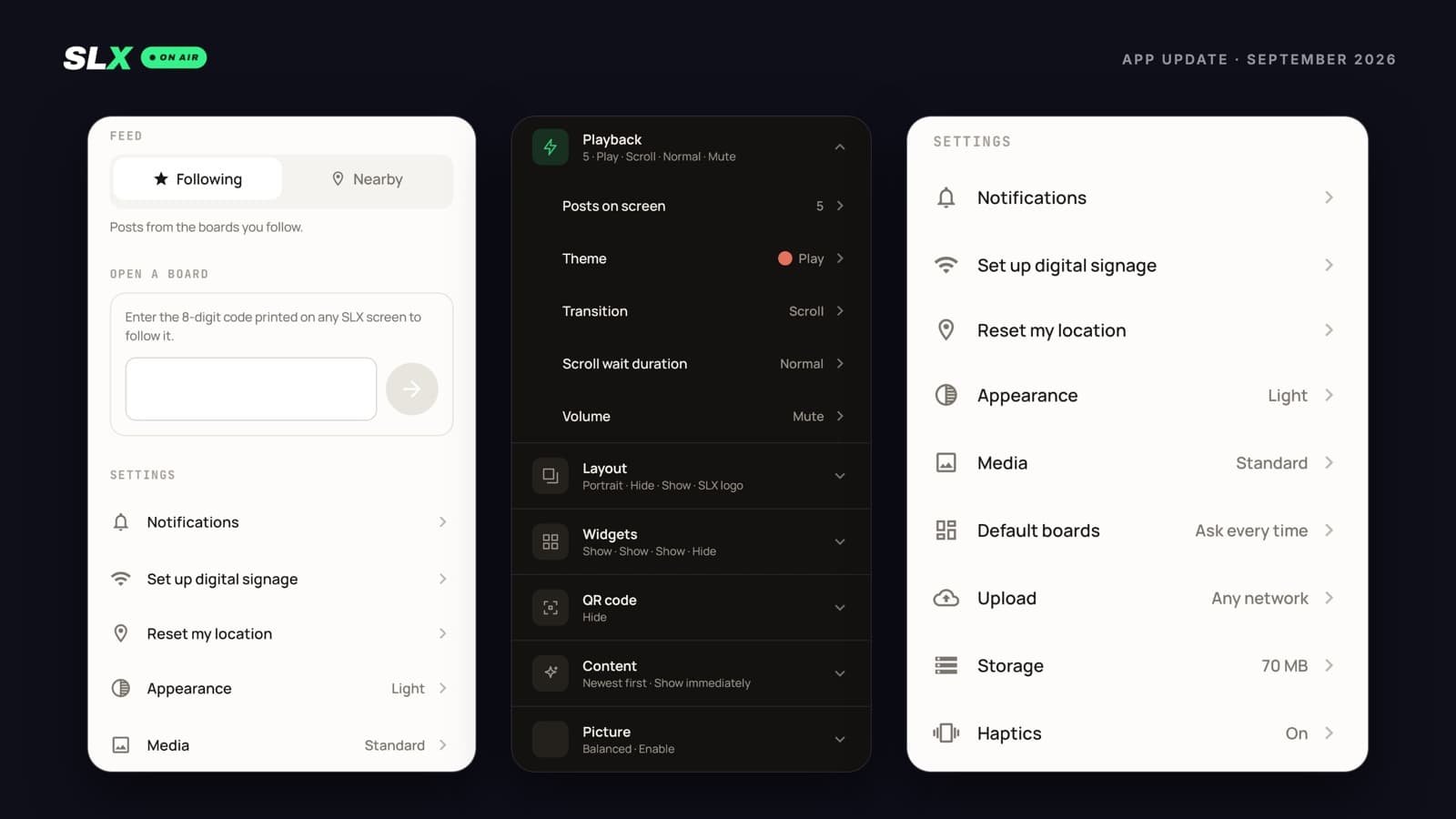
We've spent the last two weeks on the app you use to run your screens. A redesigned SLX On Air app is now out on Android and iPhone.
The goal was simple: the things you do every day should take fewer taps, and every setting should tell you what it does.
A cleaner app
Every screen has been redesigned, with a new typeface, warmer colours, and light and dark versions of each.
There is also less to look for. The search icon, the overflow menu and the feed dropdown are gone from the top of the app. In their place is one menu with your profile, the Following / Nearby switch, the box for entering a board code, and every setting.
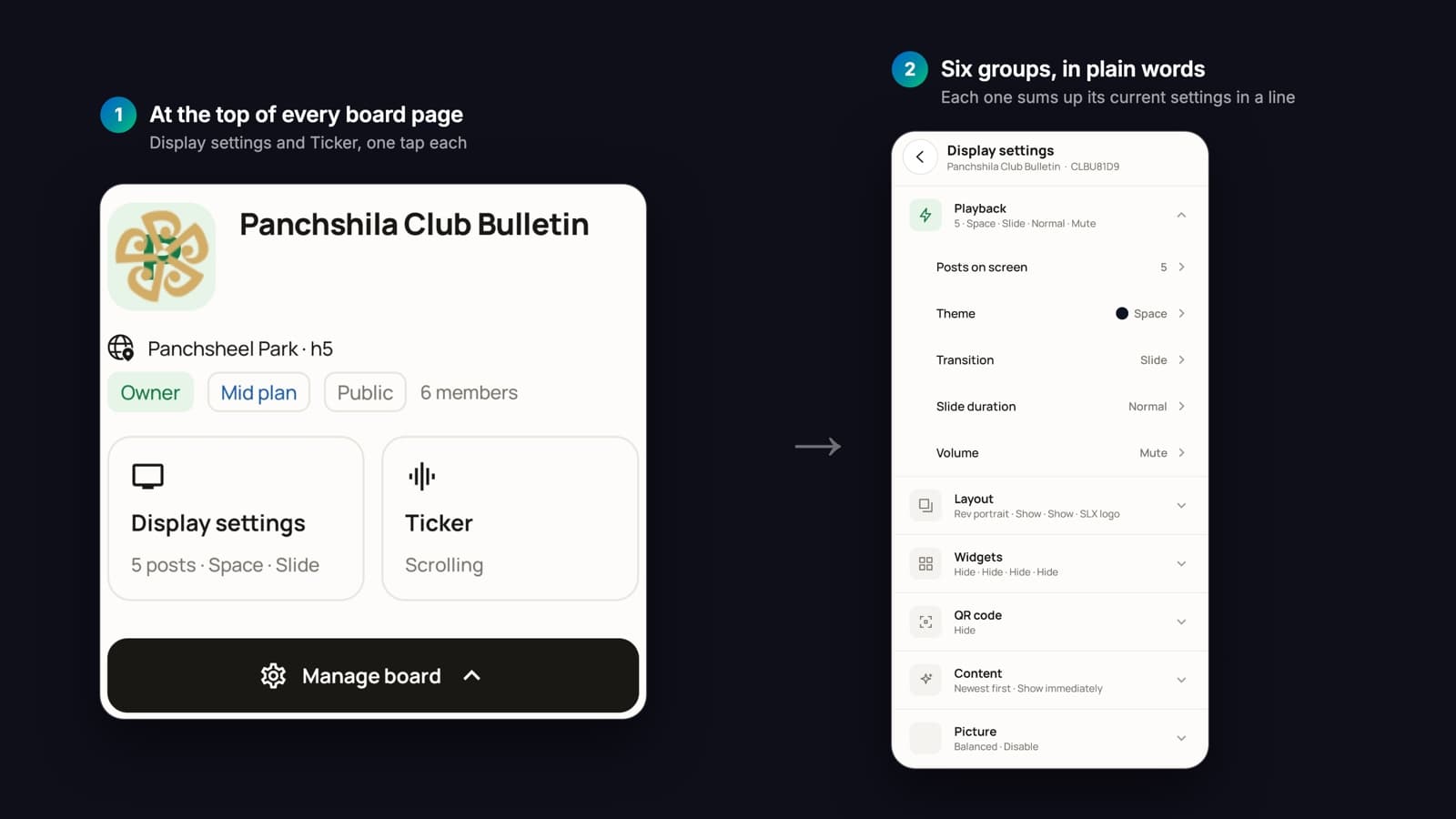
On a board's page, Display settings and Ticker now sit at the top, each one tap away.
Default boards: stop re-picking where you post
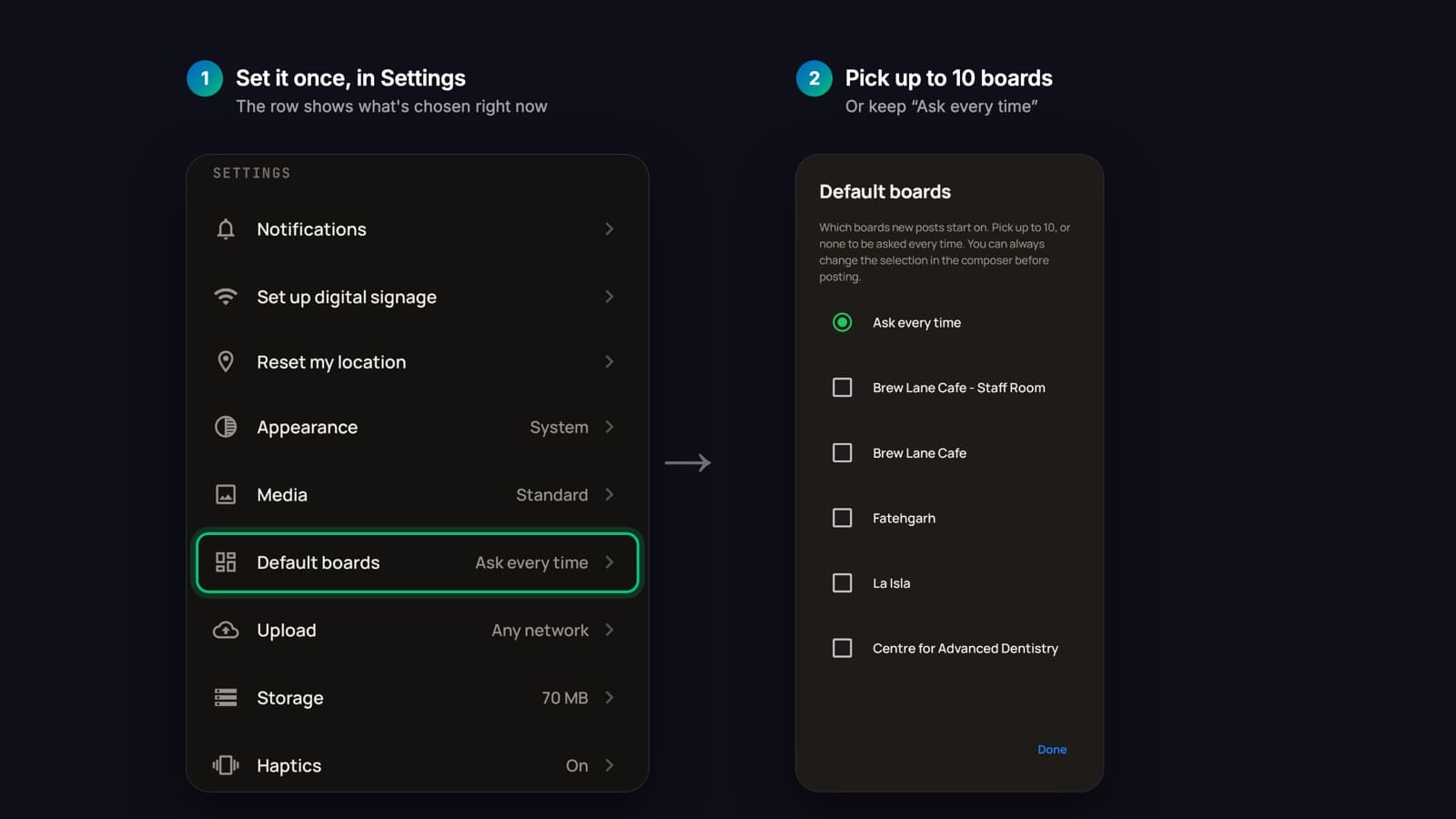
If you post to the same boards every time, you can now set them once. In Settings → Default boards, pick up to 10, and every new post opens with those boards already selected.
You can still add or remove boards in the composer before you post. Or leave it on Ask every time.
Notifications, board by board
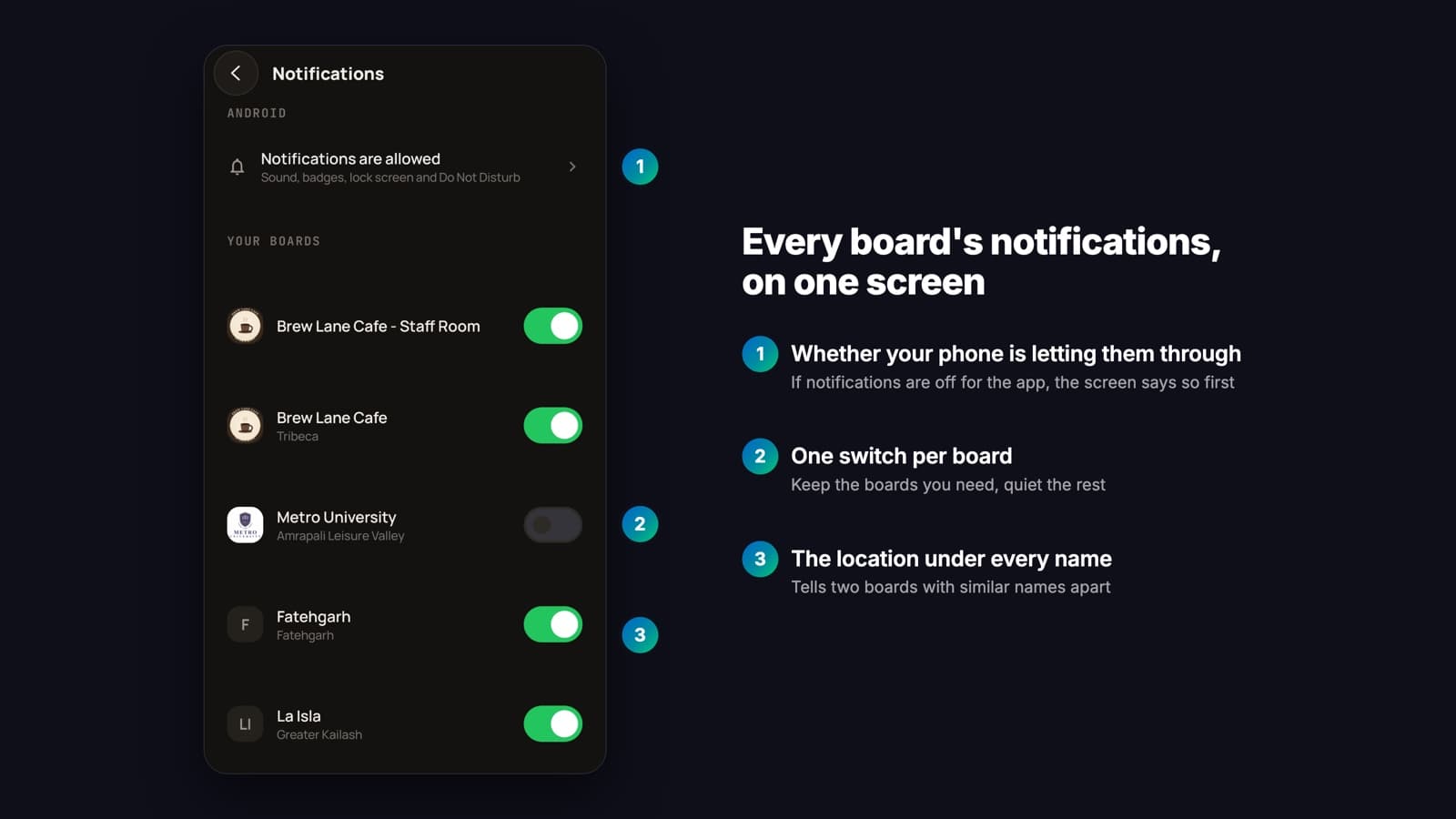
Settings → Notifications lists every board you follow, each with its own switch. Keep alerts from the boards you need and turn off the rest, all from one screen.
Each board shows its location under its name. The top of the screen shows whether your phone is letting SLX On Air notifications through at all.
Display settings you can read at a glance
A screen's display settings are now six groups: Playback, Layout, Widgets, QR code, Content and Picture. Each closed group sums up its current settings in one line, so you can see how a screen is set up without opening anything.
The names are plainer too. “Number of Posts” is now Posts on screen, and “Slideshow Period” is now Slide duration. You'll see the new names whichever version of the app you're on.
Settings that explain themselves
Every row in Settings shows its current value, and tapping it explains the setting before anything changes. Three settings are new:
- Upload over Wi-Fi only. A post with photos or video waits for Wi-Fi instead of using mobile data, then goes out once you're connected.
- Storage. See how much space the app's saved media is using, and clear it.
- Haptics. Turn vibration feedback on or off.
Also new
- Shuffle, on Pro screens. A transition setting that changes the transition with every post. Each transition plays once before any repeats.
- Drafts on Android. Save a post you haven't finished and come back to it later.
- The app remembers your feed. If you left it on Nearby, it opens on Nearby.
- Contact us from the app. The menu opens an email to our team directly.
Get the update
Update SLX On Air from Google Play or the App Store.
Not on SLX On Air yet? WhatsApp +91 99102 77891 or +91 79767 06738, or visit simplylocalx.com to put your business on air.