

Introducing Private Boards: Your Own Channel, for Your Own People
A board that appears in no feed, carries no location, and admits only the people you approve — on your screen and in every member's pocket.
Until now, every board on SLX On Air did its job in public — your screen, your posts, and a place in your neighbourhood's feed for anyone nearby to find and follow.
That's perfect for a shop. It's wrong for an office. And it's definitely wrong for your home.
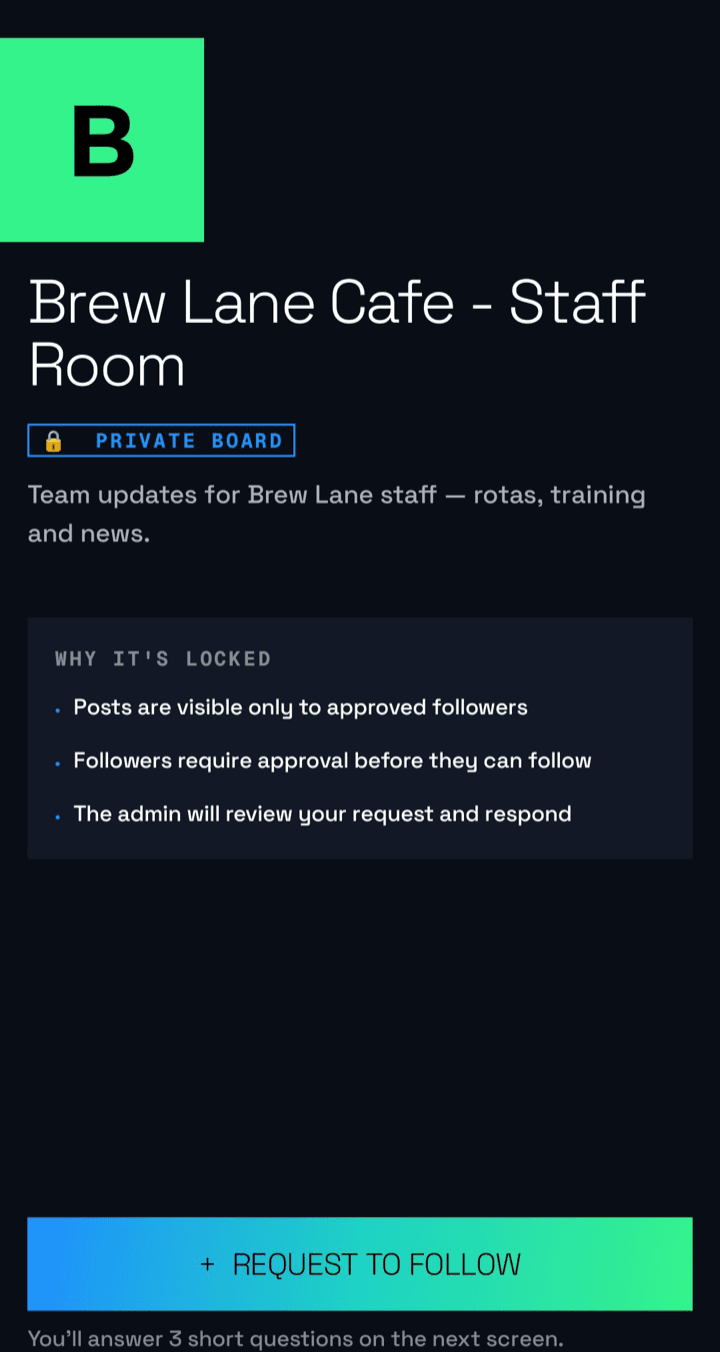
So boards now come in two kinds, chosen when you create one: Public, for businesses that want to be found — or Private, for groups that want a vetted audience. A private board appears in no feed, carries no location at all, and admits exactly the people you approve. Everyone else sees nothing but a name and a “Request to Join” button.
50+ homes and offices set up a private board in the first week — most as their own internal messaging system.
What “private” actually means here
Locked at creation, forever
Visibility is chosen once, when the board is made, and can never be changed — not by you, not by an admin, not by us. A private board can't be flipped public later by a fumbled setting. Want the other kind? Create a new board.
Invisible by design
No location, no map pin — and posts never enter any neighbourhood, nearby or home feed. It isn't hidden; it's structurally absent from every public surface. The only ways in: a board code, a link, or your invite.
You are the bouncer
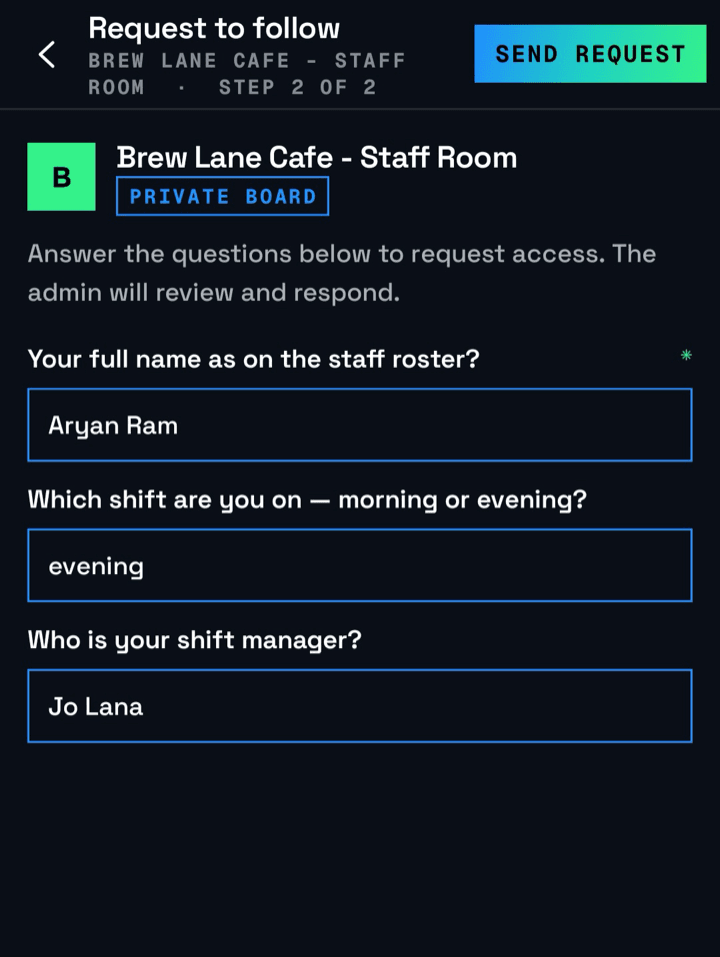
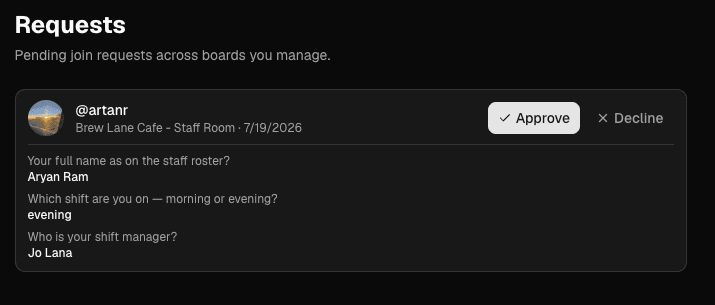
Ask up to 5 screening questions of anyone who requests to join — "Which flat are you in?", "Which department?" A real person reviews the answers and approves or declines each request. There is no auto-approval, by design.
A screen on the wall — and in every pocket
Here's why offices and homes moved in so fast: a post to a private board goes to the board's screen andto every approved member's phone at the same moment. A TV everyone walks past plus a feed only your people can open — exactly what internal communication needs.
At the office
Screen in the lobby. HR posts the holiday list, the town-hall reminder, the new joiner's welcome — on the wall for everyone present, on the phone of everyone who isn't. Staff join by scanning the board code at reception; leavers are removed with a tap.
At home
The living-room screen becomes the family board — the week's plan, the grocery list, weekend photos, a note for the kids — visible to the household and to family living away. And to absolutely nobody else.
Societies, clinics, gyms, schools
Residents vetted by the committee, members-only announcements, parents and staff only. Anywhere the audience is "our people, not the public," a private board fits.
Who gets to post is its own choice, separate from visibility: keep Broadcast mode (only owners and admins post — right for signage) or open up Community mode, where any approved member can post. Unlike visibility, you can switch this anytime.
Set up in five steps
- 1Create the board on the web console. Choose Private when asked for visibility — private boards skip location entirely.
- 2Add your join questions — up to 5, each required or optional.
- 3Share the way in: the board code, a link, or direct invites. Print the code for the reception desk or the fridge door.
- 4Approve your people. Requests arrive with the answers attached — approve or decline from the app or the console.
- 5Post.Your screen and every member's phone update together. That's your channel running.
Removing someone is just as simple — and blocked users can't request again.
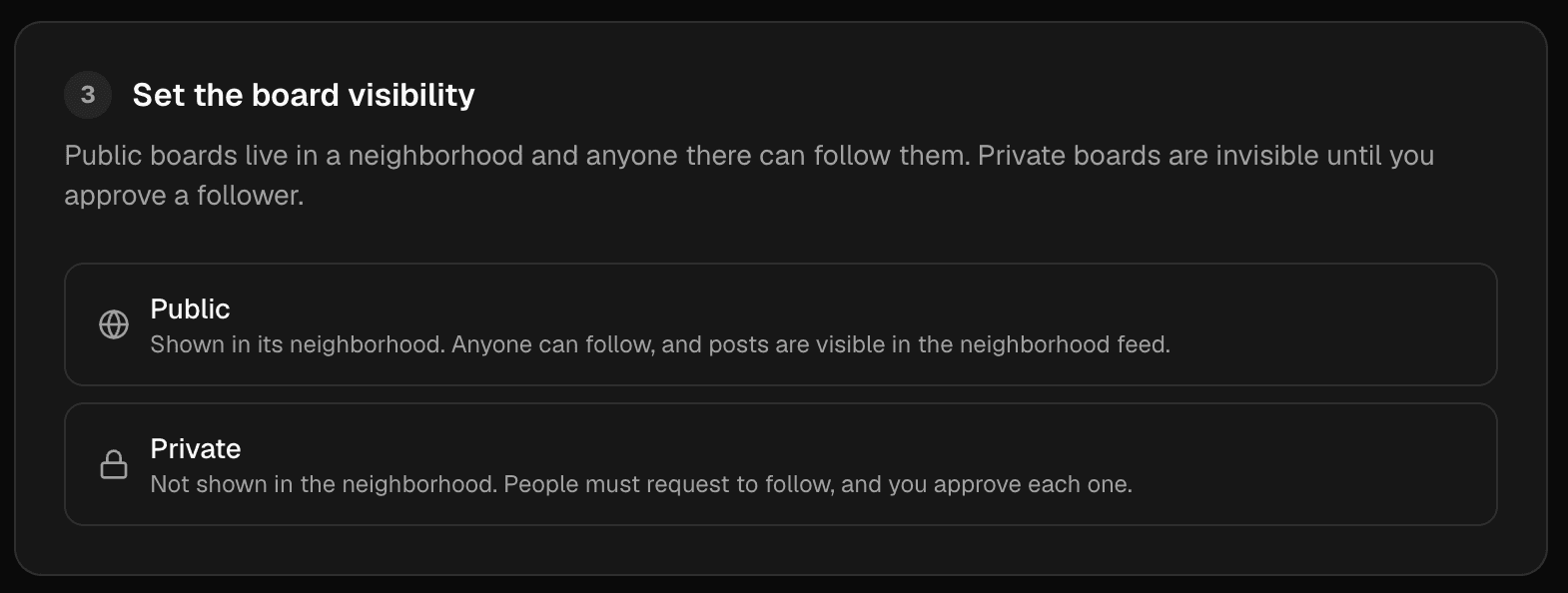
And if you want to be found? Go Public.
Private is one half of the story. Public boardsgot sharper too: every public board lives in a real neighbourhood, appears in nearby discovery — even to people who haven't signed up yet — and can be followed with one tap. Every post does double duty: it plays on your screen and reaches app users browsing your area.
| Public board | Private board | |
|---|---|---|
| Best for | Businesses that want local reach | Offices, homes, societies, clubs |
| Location | Pinned to its neighbourhood | None — no location at all |
| Discovery | Nearby browsing, feed, search, code, link | Only by code, link, or invite |
| Following | Instant, one tap | Request → questions → your approval |
| What outsiders see | The board and its posts | A Request-to-Join card only |
| Posts appear | On your screens + the neighbourhood feed | To approved members only |
| Changeable later? | No — locked at creation | No — locked at creation |
Public is reach. Private is control.
Pick the one each screen needs — plenty of our customers run both.
Start your own channel
Private boards are live now on the web console, Android and iOS, and they drive your SLX On Air screens exactly like public ones do. Already with us? Create a private board from the console. New here? Message us on WhatsApp at +91 99102 77891 or +91 79767 06738 and we'll get you set up.