

Signage so beautiful, people stop and look.
Post anything you can imagine from your phone or the web console — and watch SLX On Air turn it into something stunning on screen. This is digital signage that feels alive.
Run every screen from the palm of your hand.
The mobile app and web console put your whole display in your pocket. Change a menu, drop an offer, swap an announcement — every screen updates in seconds.
Take it with you. Download the app.
Control your screens, post on the go, and follow your neighbourhood — on Android and iOS.
Post anything. We make it look magnificent.
Whatever you send arrives on screen looking like it belongs in a gallery.
Video
Reels, promos, walkthroughs — playing crisp and full-frame.
Images
Menus, offers, photos — sharp, colour-true, edge to edge.
Text
A line, an announcement, a price — typeset beautifully, every time.
Silky-smooth, start to finish.
Motion so fluid it feels effortless — the kind of polish people notice even when they can't say why.
Elegant transitions
Every change glides. Crossfades, pans, and reveals that feel designed, not default.
Buttery-smooth scroll
Tickers and feeds move like silk — never a stutter, never a jump.
Vivid themes
Hand-crafted looks that make ordinary content look like it was made by a studio.
Total control, zero fuss.
Schedule what plays and when. Pick a theme. Arrange the layout. Set it once and let it run — or reinvent the whole screen in a minute.
Inside the app
Real screenshots, not mock-ups. Every screen below runs your board from an ordinary phone.
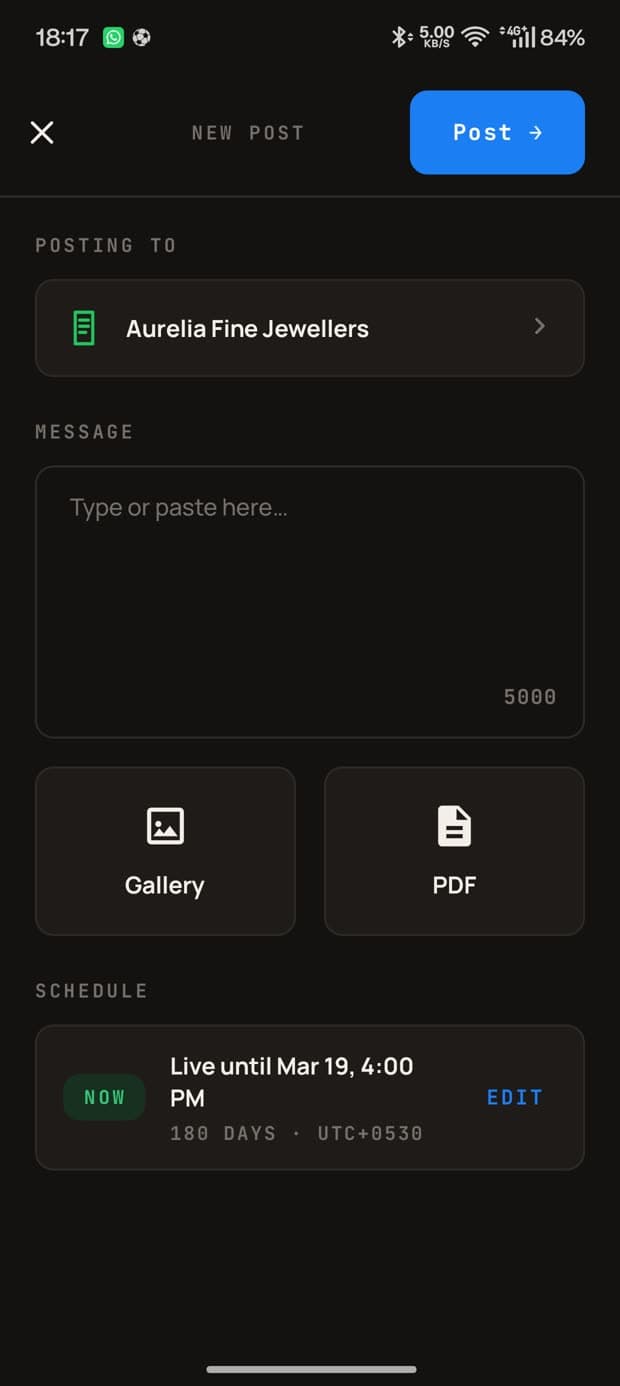
Post in seconds
Pick the board, type a line, attach photos or a PDF. Set how long it stays on screen.
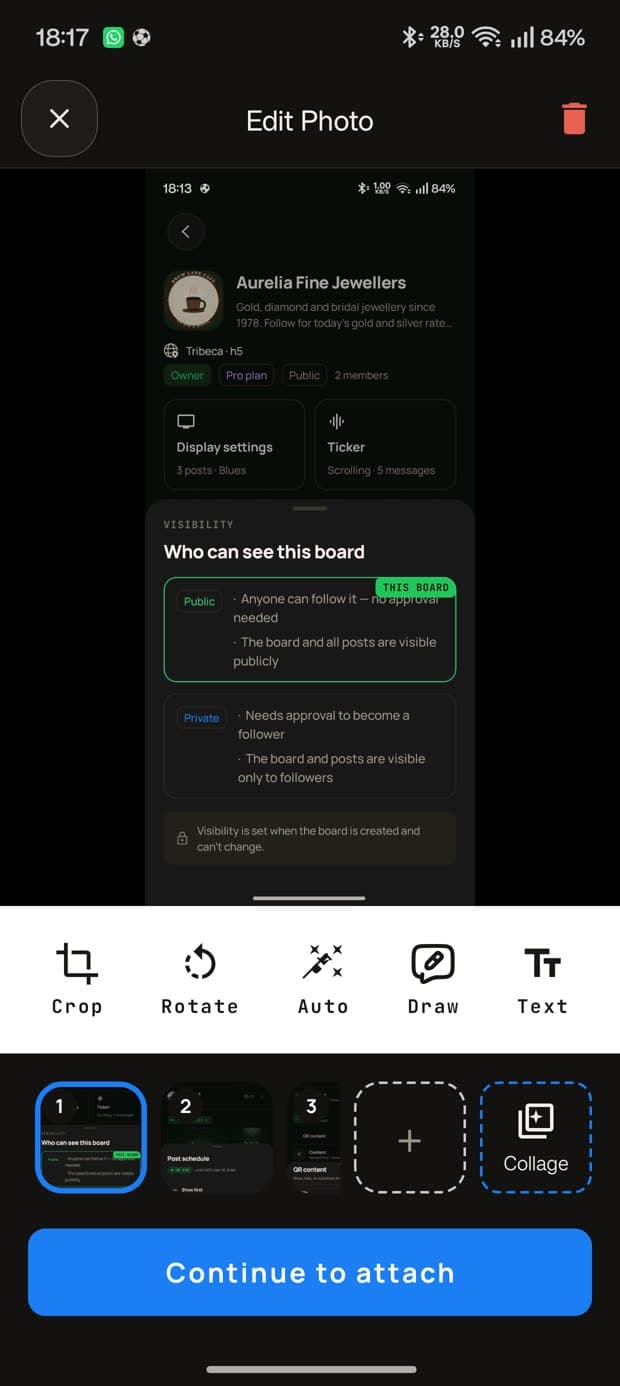
Edit before it goes up
Crop, rotate, draw, add text, or build a collage — without leaving the app.
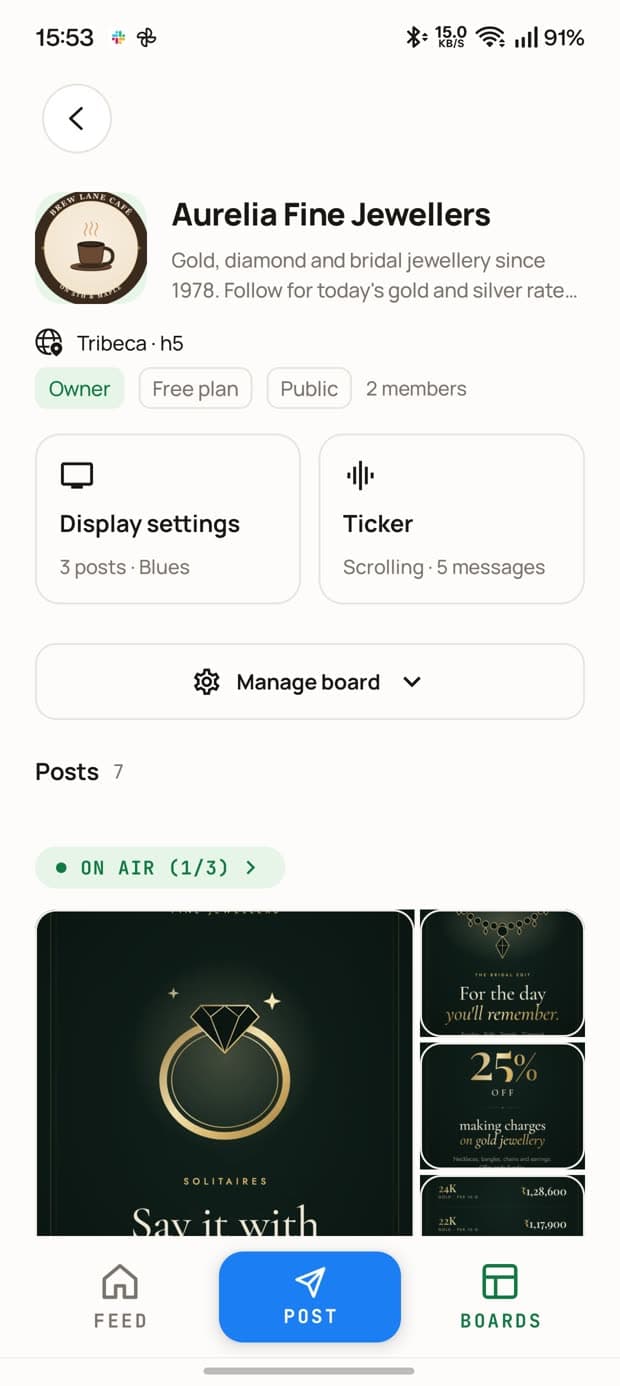
Your board at a glance
What's on air right now, the posts in the loop, and one tap to the screen's settings.
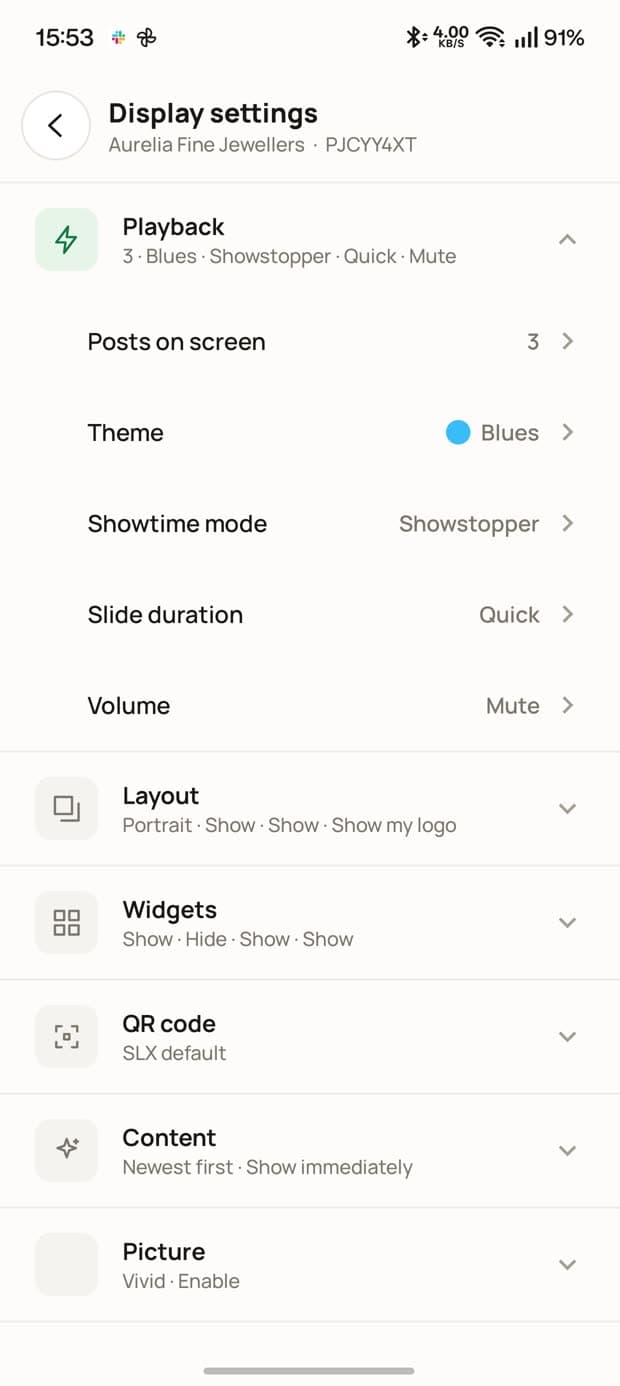
Run the screen from anywhere
Posts on screen, theme, motion, slide duration, volume, widgets, orientation — grouped so you can read them.
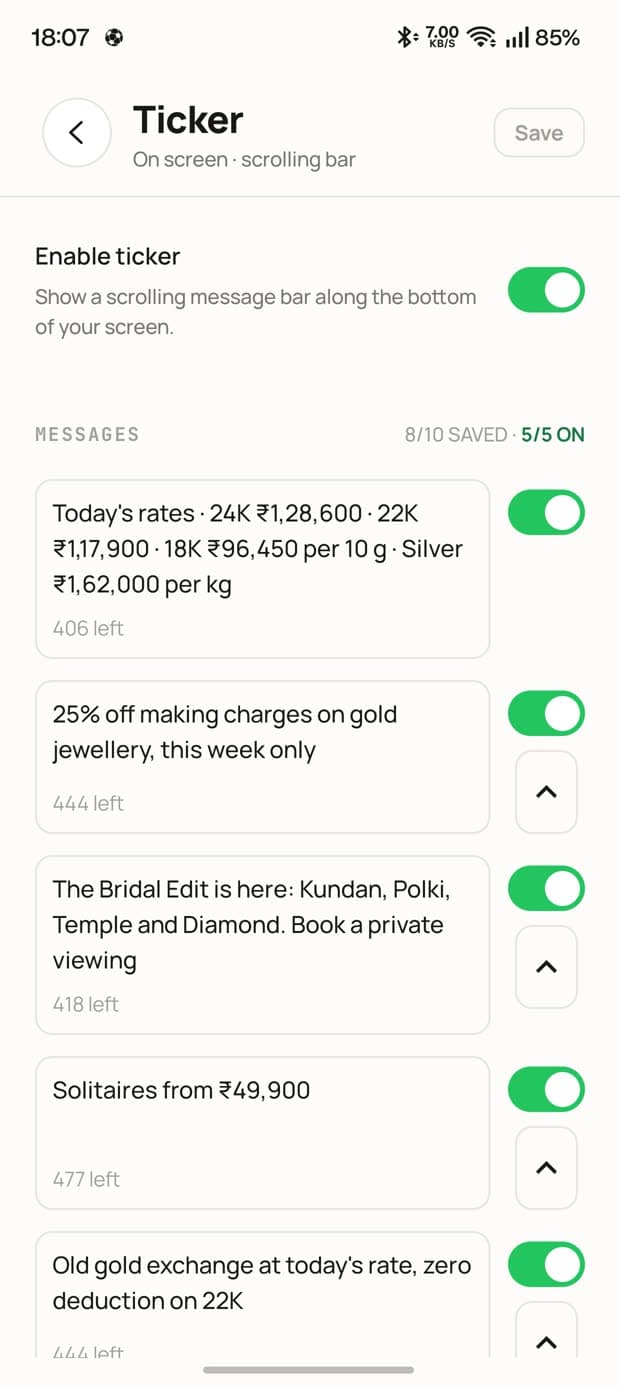
A ticker you can rewrite live
Keep a library of lines, switch on the ones you want, and they reach the screen in moments.
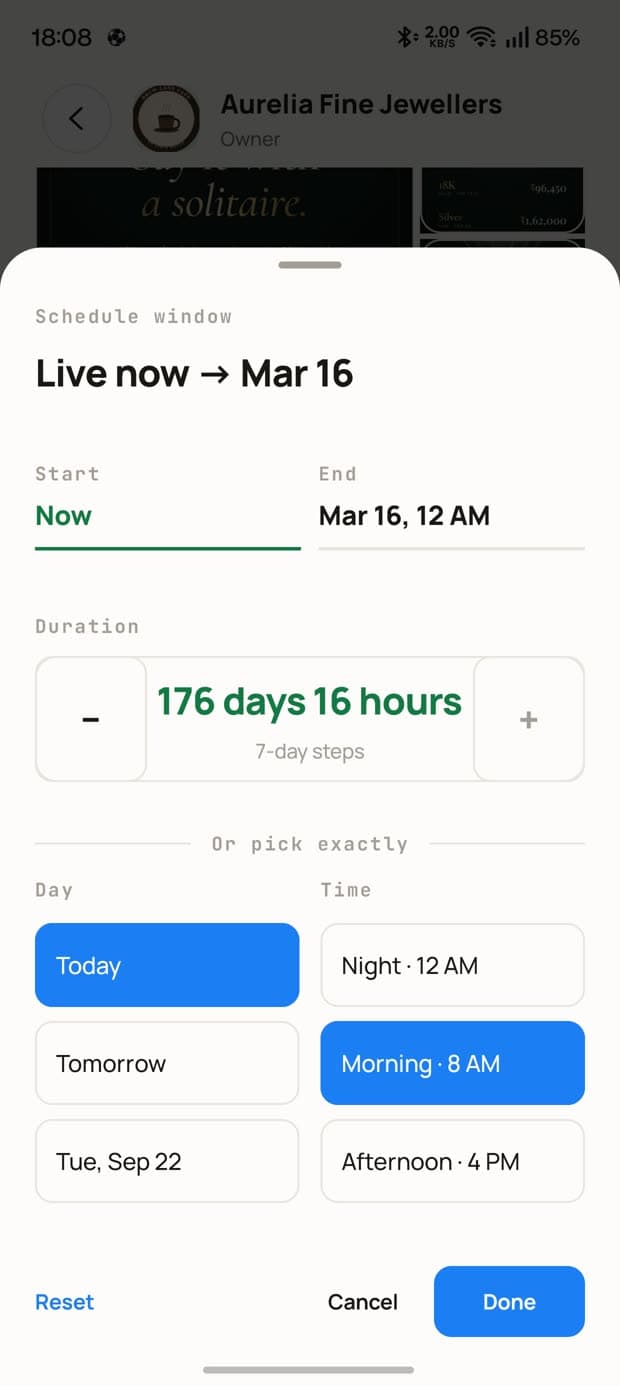
On air, off air, on a timer
Say when a post goes up and when it comes down. Move something to the front of the loop.
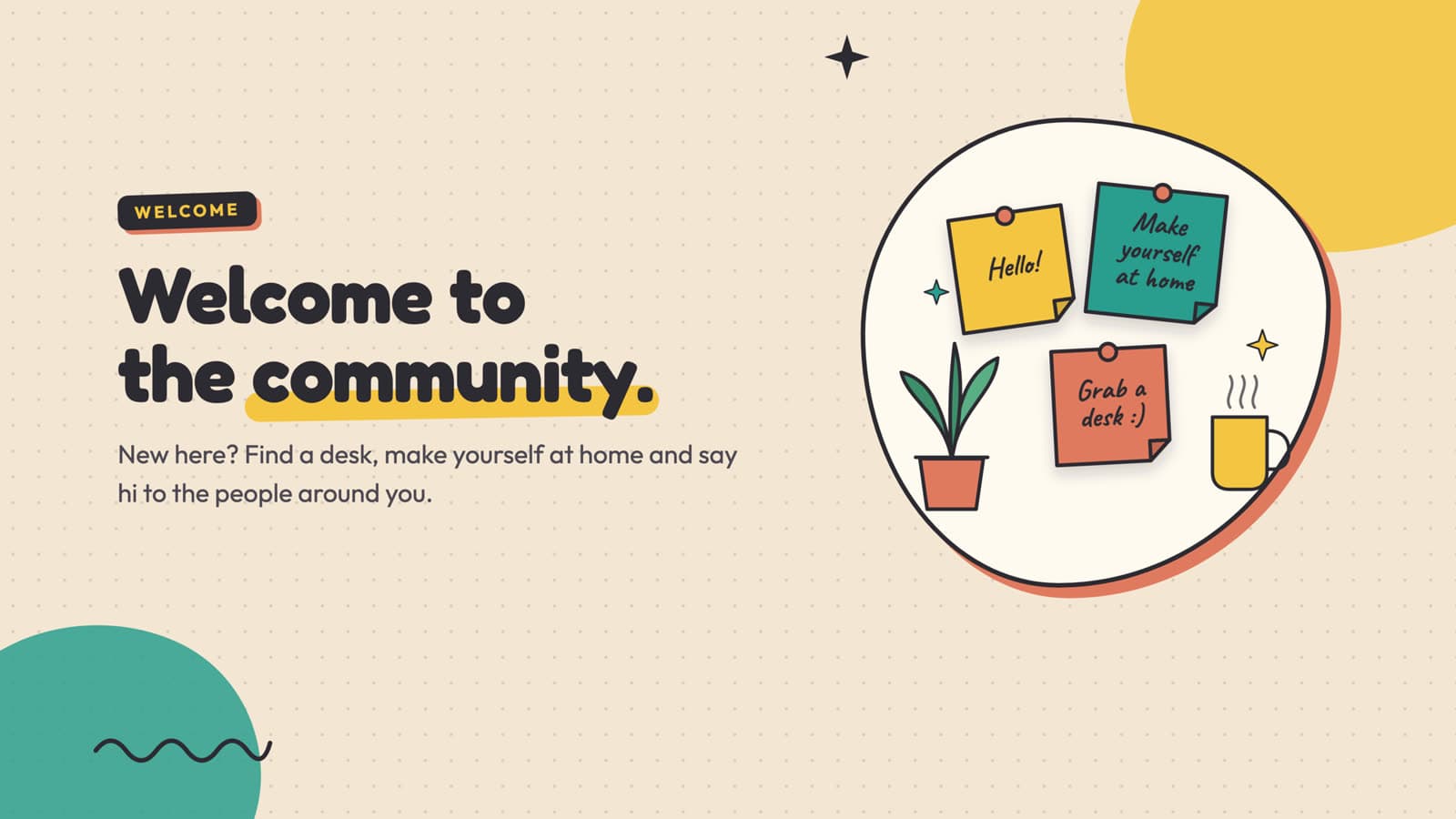
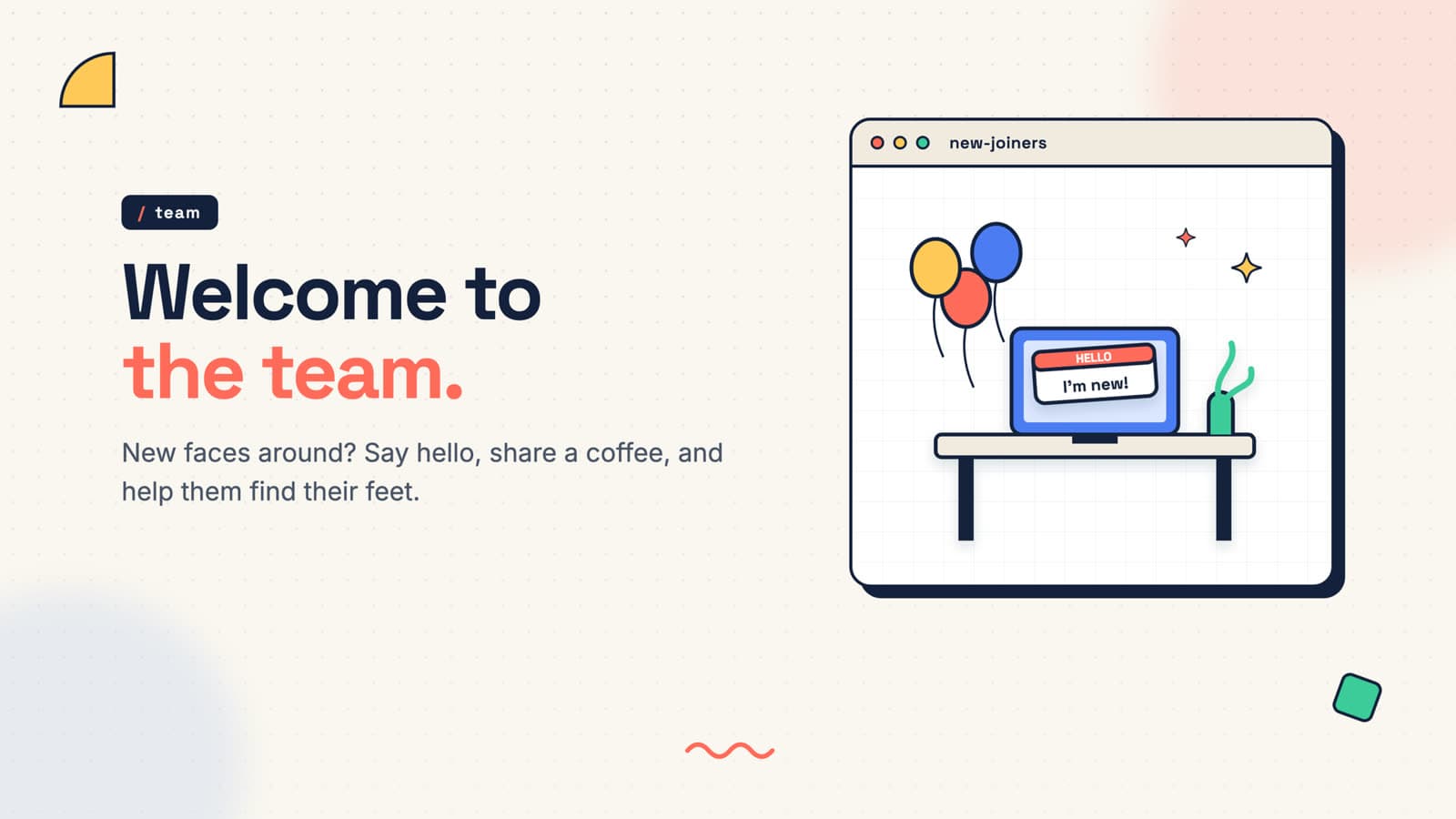
This is what lands on the screen
Real frames, not mock-ups — the same engine renders every one of them.
Everything You Need
5 Display Modes
Fade, Scroll, Slide, Hybrid, Video. Switch remotely anytime. Each mode GPU-accelerated.
Rich Media Engine
Images, video, PDF, text, audio, QR codes. Hardware-accelerated playback. Smart text timing at 200 WPM.
Remote Command Center
Change themes, modes, volume, widgets, orientation — all from your browser. Takes effect in seconds.
Weather, Time & AQI Widgets
Built-in, location-aware. Current conditions, time, and air quality — no third-party integrations needed.
Instagram Auto-Sync
Link an Instagram account. Posts appear on screen automatically. Smart polling adjusts to account activity.
Fleet Management
Register devices by serial and MAC. Monitor health across locations. One dashboard for everything.
Post by Email
Every Pro board has its own email address. Send a photo, video or PDF from the mail app you already use and it plays on your screens. No app, no login.
Ticker
A scrolling message bar under your posts, always visible. Keep a library of up to 10 lines; Pro rotates 5 at once and adds scroll speed and ALL-CAPS.
Private Boards
A board with no location that never appears in search, nearby discovery or any neighbourhood feed. People join by approval only — for an office, a clinic or a members-only group.
How We Compare
SimplylocalX On Air vs the alternatives
| SLX On Air | Budget Solutions | Enterprise Solutions | |
|---|---|---|---|
| Visual Quality | GPU-accelerated broadcast-quality | Basic slideshow playback | Professional but proprietary |
| Hardware Cost | 1/10th of enterprise | Cheap but limited | $200–500+ per device |
| Content Updates | Real-time push (<5 seconds) | Manual or polling (minutes–hours) | Real-time but costly |
| Offline Mode | 24h+ cached playback | Blank screen or error | Usually supported |
| Self-Healing | Auto-recovers from crashes & outages | Requires manual restart | Varies by vendor |
| Software Updates | Automatic OTA, zero-downtime | Manual per device | Vendor-managed |
| Display Modes | 5 professional modes | 1–2 basic modes | Multiple, complex setup |
| Health Monitoring | Built-in real-time dashboard | Not available | Separate tools, extra cost |
| Proof of Play | Cryptographic, independently timestamped | None / self-reported | Rare, proprietary |
| Security & Transparency | Published security page, signed updates, audit-logged admin access | Undocumented | Strong, but opaque |
| Setup Time | Under 1 minute | Simple but limited | Hours, requires IT |
| Total Cost | Fraction of traditional signage | Low upfront, low quality | High across the board |
| Post by email | Built in — every Pro board has its own address | Not offered | Rare, usually a paid integration |
Your screen deserves this.
See it for yourself — then light up your own screens.
Your screen has an audience. Now it can talk back.
Every SLX On Air screen is backed by a hyperlocal social network. Post from the app, it plays on the screen live, and neighbours subscribe with a scan — right from their phones.
Post in the app
Photos, updates, events — from your phone.
Appears on screens
Community displays show it live.
Neighbours subscribe
Scan a QR, get the app, join in.