

Introducing Showtime: a screen nobody looks at is just a TV
Five modes, from a calm credits roll to a full Showstopper, that decide how your whole screen moves, so people keep looking.
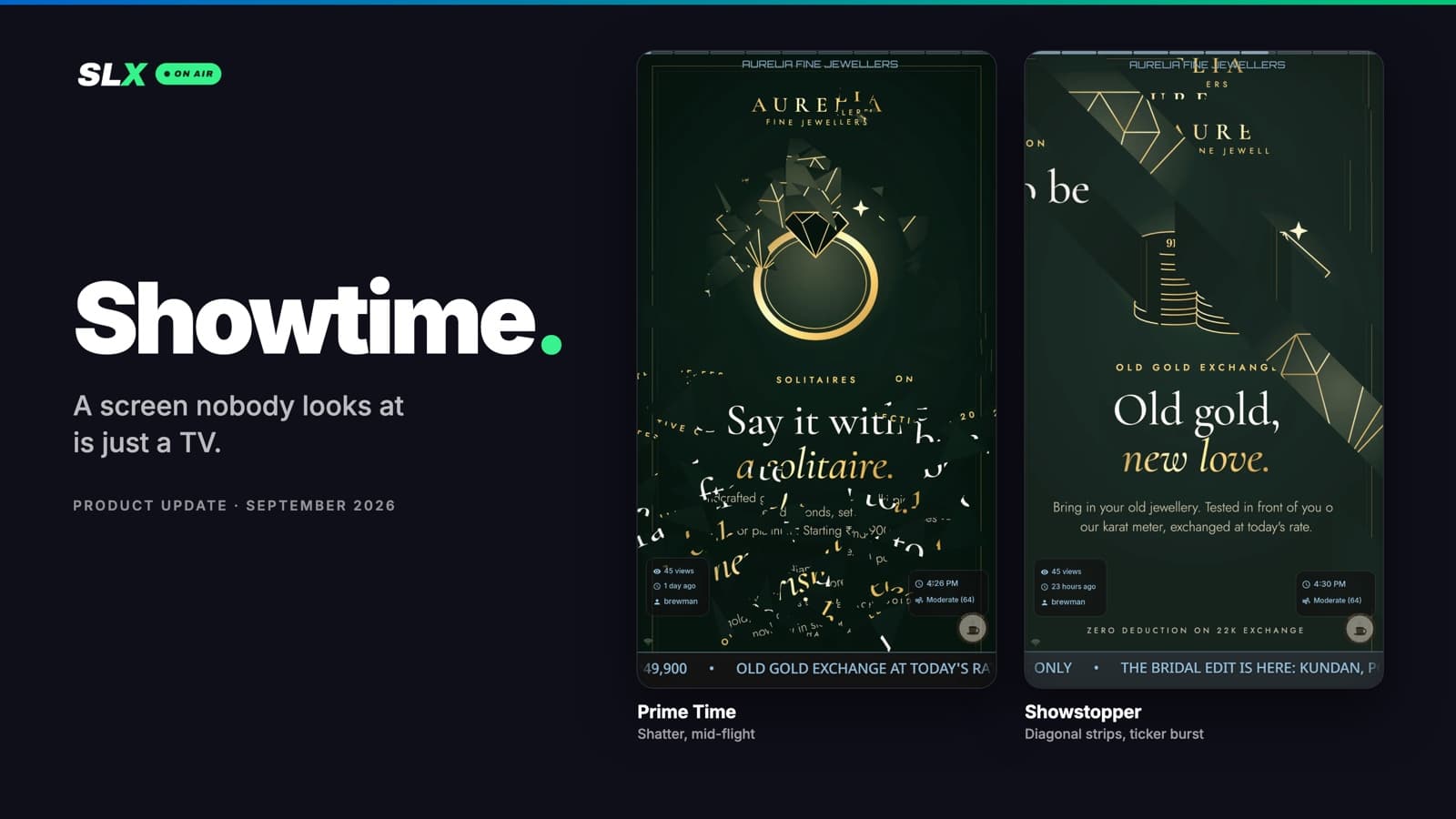
Most digital signage is wallpaper. A TV goes up, the same posters play on a loop, and within a week the people walking past have stopped seeing it. The screen is on, but it isn't doing its job.
We set the bar higher. A screen that quietly runs in the background doesn't excite us. If it isn't pulling eyes, it isn't working. Showtime is how an SLX On Air screen earns attention, all day, every day.
What Showtime is
Showtime replaces the old Transition setting. Until now, a board had one transition that played between every post, and nothing else on the screen moved.
Now every board has a Showtime mode. The mode decides how the whole screen moves:
- how each new post arrives
- whether the screen flashes when it does
- how lively the ticker and the small on-screen details are
- how the picture itself drifts while it’s on screen
You pick one of five modes. Everything else has already been designed for you.
Five modes, from calm to electric
Each mode has its own character. It isn't just a louder version of the one before.
Flow. Your posts roll up the screen continuously, like the credits at the end of a film. Nothing cuts and nothing flashes. A video stops the roll, plays in full, and the roll carries on. Made for lobbies, clinics and waiting rooms, on portrait screens.
Professional. Crisp changeovers borrowed from broadcast studios: venetian blinds, a split-flap board like the ones at railway stations, angled louvres. No flashing, and the rest of the screen moves only now and then. Made for offices, receptions and hotels.
Studio. The new default. Each post opens like a camera iris, or the camera dives into the next one, or the bright parts dissolve before the dark ones. The info chips breathe and widgets glide into place. Made for cafés, salons, shops and schools.
Prime Time. A brick wall shudders and collapses. A post shatters into shards. Diagonal strips peel away to the corners. Each new post lands with a short white flash. Made for retail, gyms and food courts, anywhere a screen has to fight for attention.
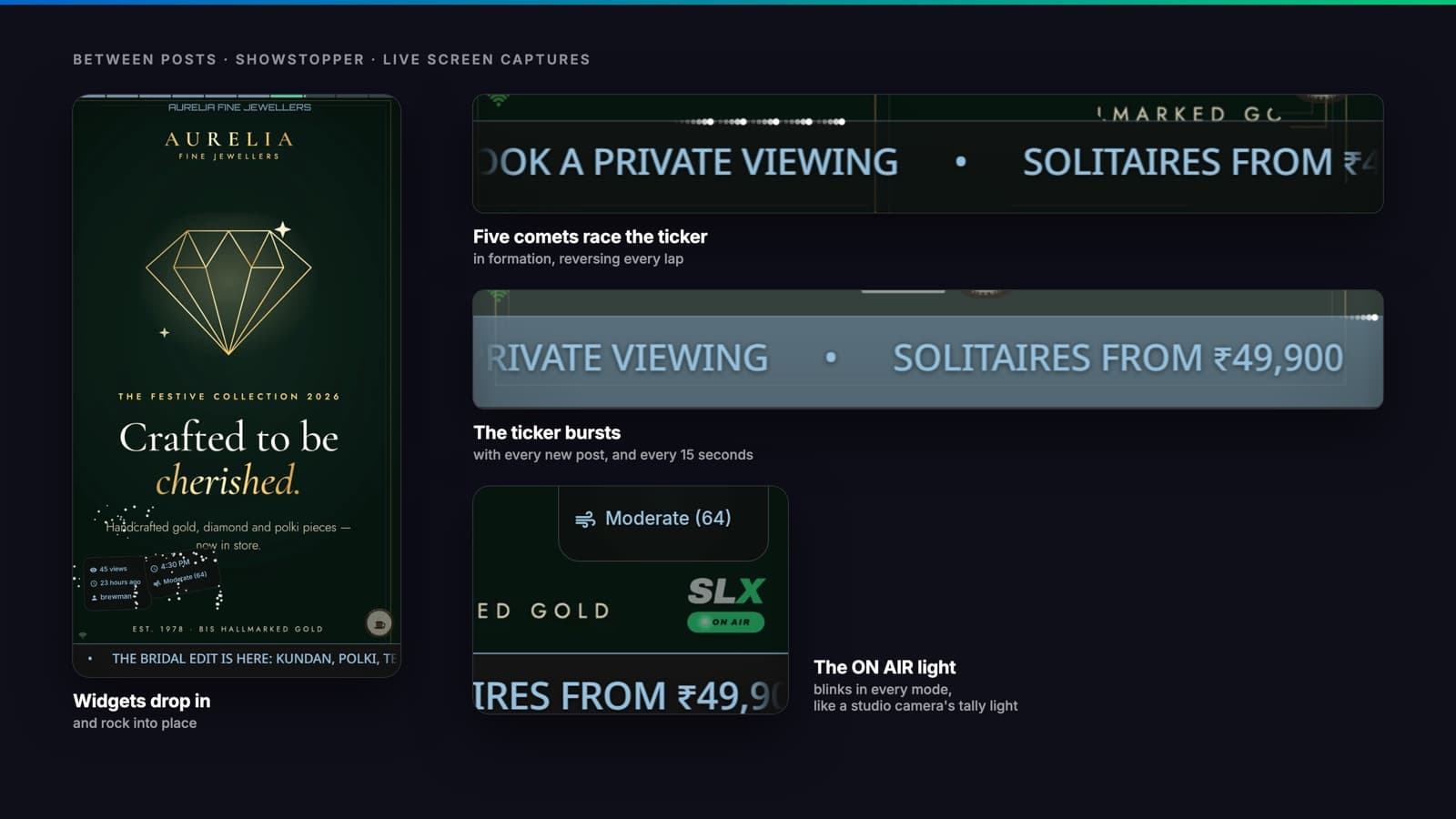
Showstopper. Everything in Prime Time, on the beat. The ticker bar bursts with every new post and again every 15 seconds, the screen pulses in answer, and a formation of comets races along the ticker, reversing every lap. Made for bars, clubs, events and launch nights.
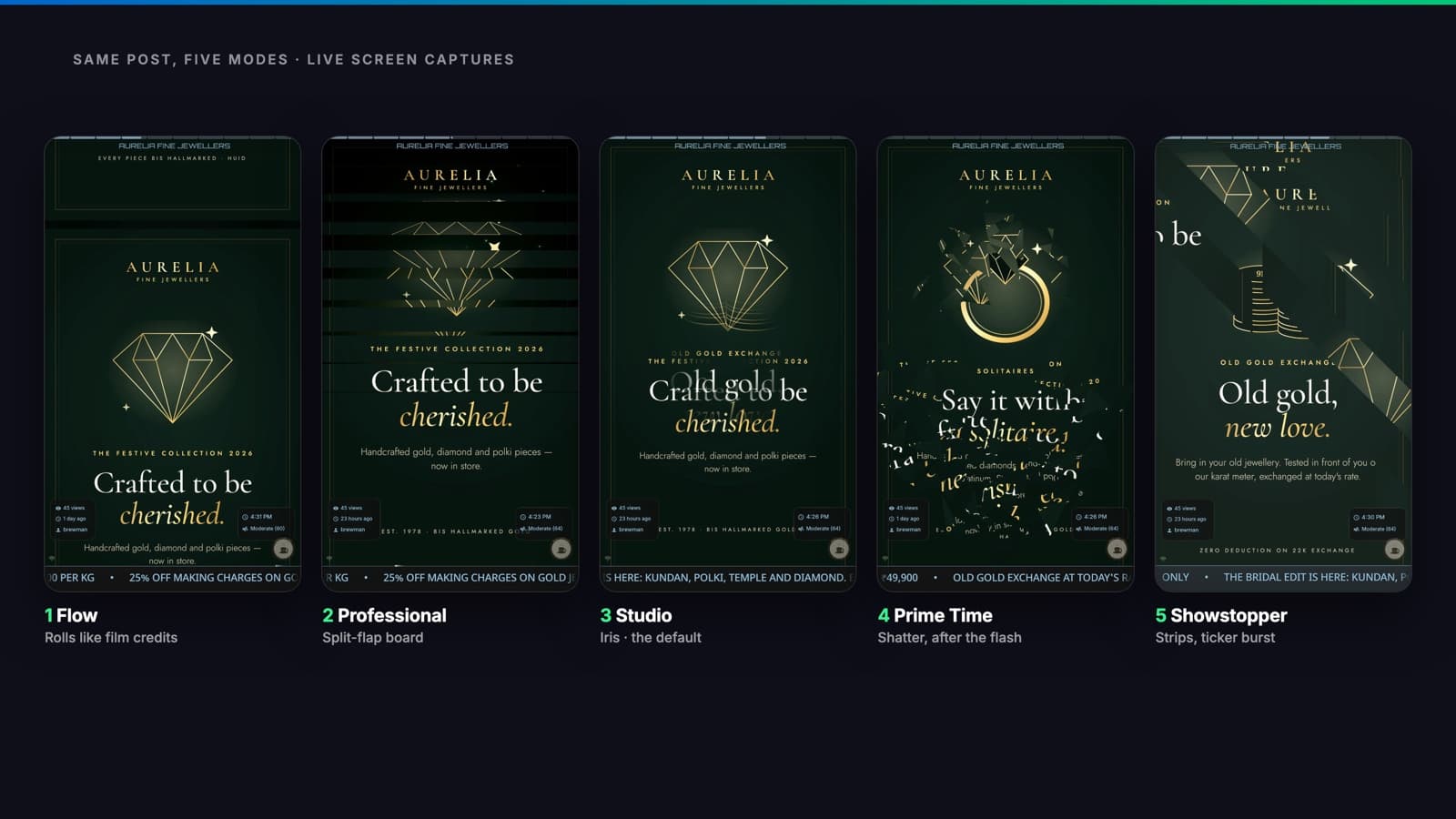
Every post makes an entrance
Across the five modes there are nine changeovers, plus Flow's credits roll. Each mode has its own set of three, and the screen picks one for every image and every video.
Every changeover in the set plays once before any repeats, and the same one never plays twice in a row. The screen never falls into a pattern people learn to ignore.
A PDF or a post with several images keeps one changeover across all its pages, so a document still reads as one document.
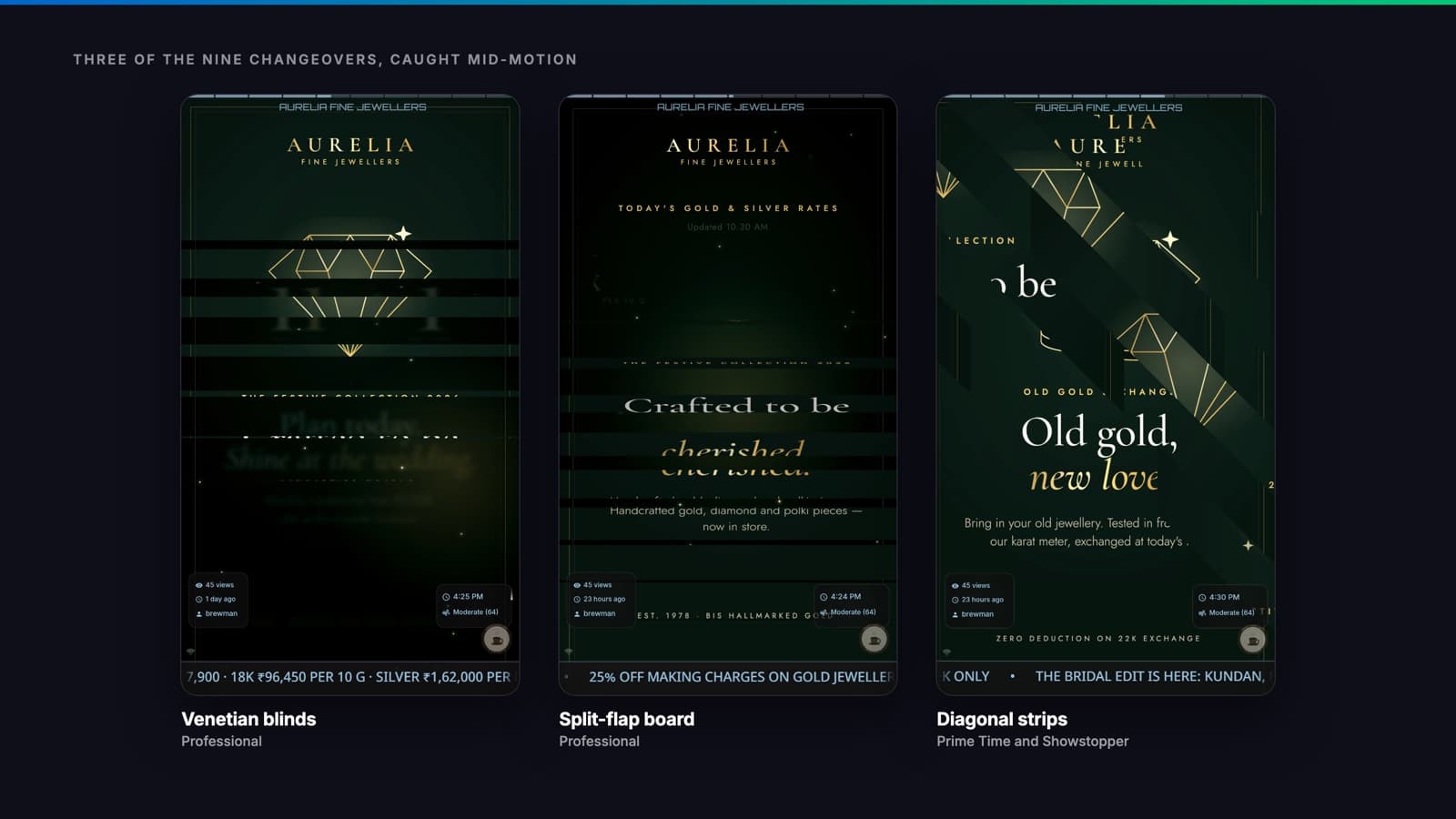
Between posts, the screen keeps moving
A good screen doesn't freeze between posts either:
- Every photo drifts slowly, the way a documentary camera moves across a still. It’s gentle in Professional and strongest in Showstopper. Flow doesn’t need it, because the roll is the motion.
- An ON AIR light blinks in the corner in every mode, like the tally light on a studio camera.
- Comets run along the edge of the ticker: one at a time in the calmer modes, five in formation in Prime Time and Showstopper.
- Widgets glide into place in Studio. In Prime Time they drop in from the side, and in Showstopper they drop in and rock into place.
- On the hour the corner mark waves hello.
Built for public walls, all day
An exciting screen still has to be a responsible one.
- Only Prime Time and Showstopper flash. Flow, Professional and Studio never do.
- Every flash goes through one limiter: no more than one full-screen flash a second, each shorter than 400 milliseconds. It’s designed within the widely used one-flash-per-second guideline. Showstopper’s fast bursts happen only on the ticker bar, a thin strip at the bottom of the screen.
- Nothing louder than Studio, the default, turns on by itself. You choose to turn it up.
- The screen calms itself on hot days. If it runs hot, it quiets its background motion and picks up again when it cools, in every mode.
Change it in seconds
Showtime mode is in Quick settingsfor every board in the web console, and in the board's display settings in the SLX On Air app. Save it, and the screen changes within seconds. There's no restart and no visit to the screen. Only switching to or from Flow reloads the board, for a moment.
Boards are already on Studio, so screens get the upgrade without anyone touching a setting. The exception is boards that used to scroll: they are on Flow and keep scrolling. Screens update over the air on their own.
On your plan: Studio and Showstopper work on every plan. Flow and Professional come with Mid and Pro. Prime Time comes with Pro.
See it on your own screen
Try each mode on your screen from the console and see which one makes people stop. If you'd like help picking a mode, or you'd like to see Showtime on a screen before you buy one, message us on WhatsApp at +91 99102 77891 or +91 79767 06738.