

Introducing the Ticker: Your Own News Bar, Live on Your Screen
A smooth, broadcast-style scrolling message bar that runs under your content — edited from your phone, live on your TV in seconds.
Every news channel has one. That scrolling bar along the bottom of the screen — always moving, always readable, carrying the headlines while the main story plays above it.
Now your business has one too.
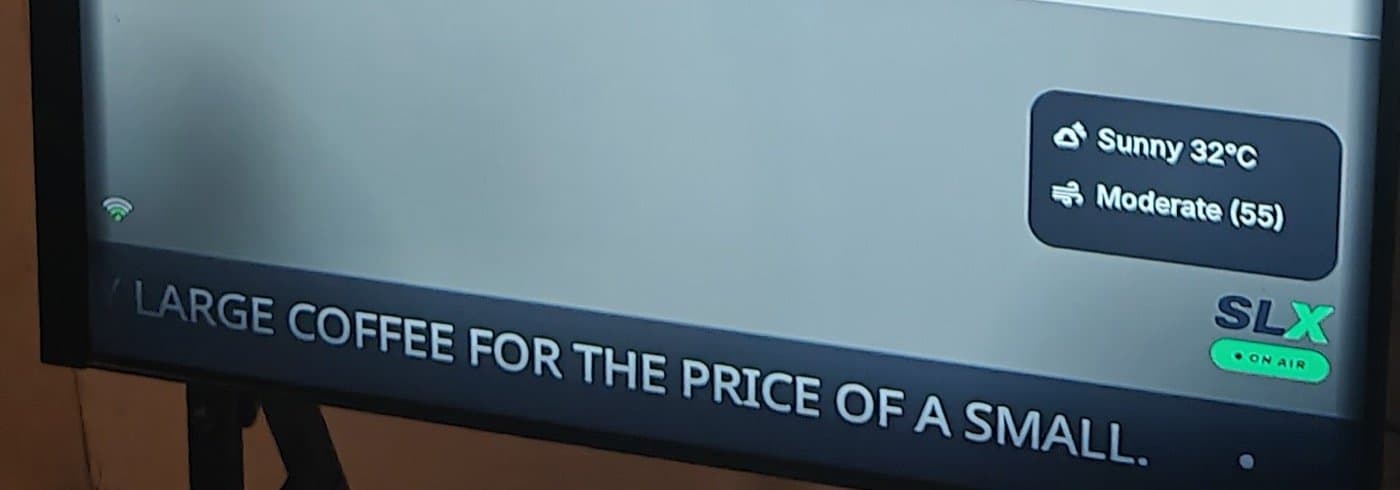
The Tickeris live on every SLX On Air screen today: a broadcast-style message bar that runs under your photos, videos and posts, carrying whatever you want customers to read — today's offer, your hours, an event, a phone number.
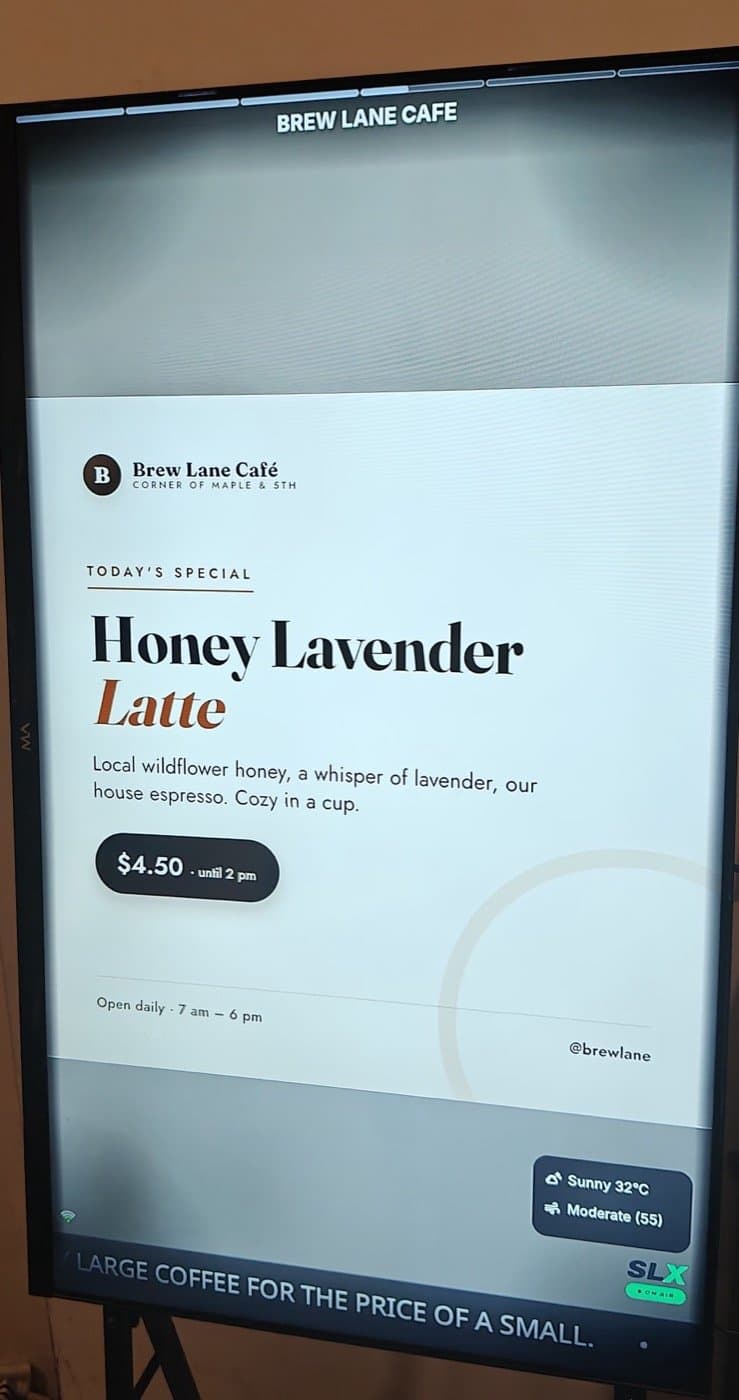
Your content plays. Your message scrolls.
Nothing competes for the screen.
A screen can only show one thing at a time — but your business rarely has only one thing to say. Your café's menu is playing, but there's live music on Friday. Before the Ticker, that meant another post and a wait for it to rotate in. Now the message you want always visible stays always visible.
What makes it great
Live in seconds
Edit in the app, press save, watch your TV — no restarts. Flash sale till 6pm? On air at 4, off at 6, from your phone.
Broadcast-smooth
Rendered inside the display engine, in the same frame as your content — it glides through transitions and video without a stutter.
Matches your look
The bar takes its color and glass finish from your display theme. Change themes and it restyles itself instantly.
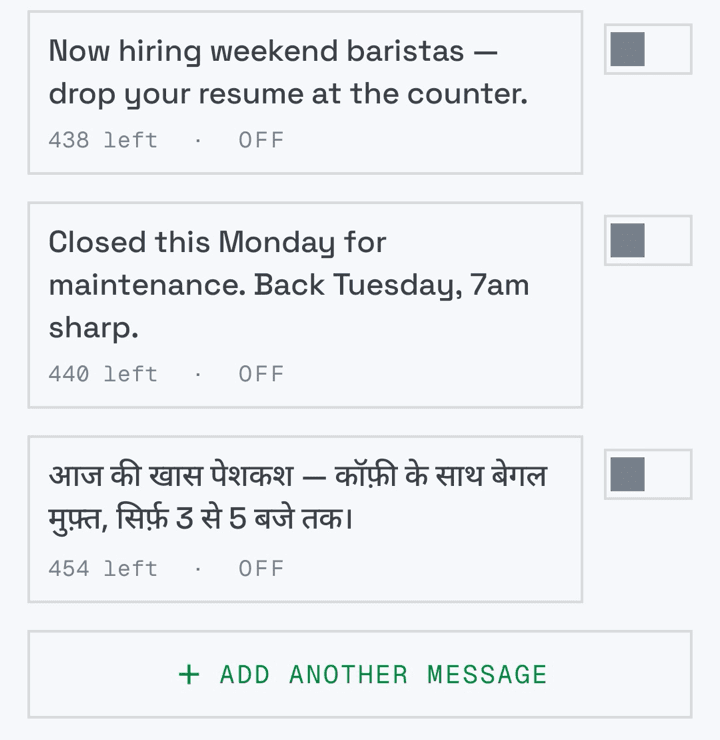
Speaks your language
Hindi renders as beautifully as English — conjuncts, matras and all — so you can talk to customers the way they actually talk.
Never leaves you blank
No messages? A graceful default rotation. Power cut? It comes back exactly where it left off.
Protects your screen
It periodically glides off-screen for a few seconds, so no static edge ever burns into a panel that runs 24/7.
Set up in about two minutes
- 1Open your board in the app and tap Manage Board.
- 2Under ON SCREEN, tap the Ticker tile and switch it on.
- 3Add your messages — save up to 10, toggle each on or off, reorder with a tap.
- 4Pick a speed, go all-caps if you like, press Save— look up, it's already on air.
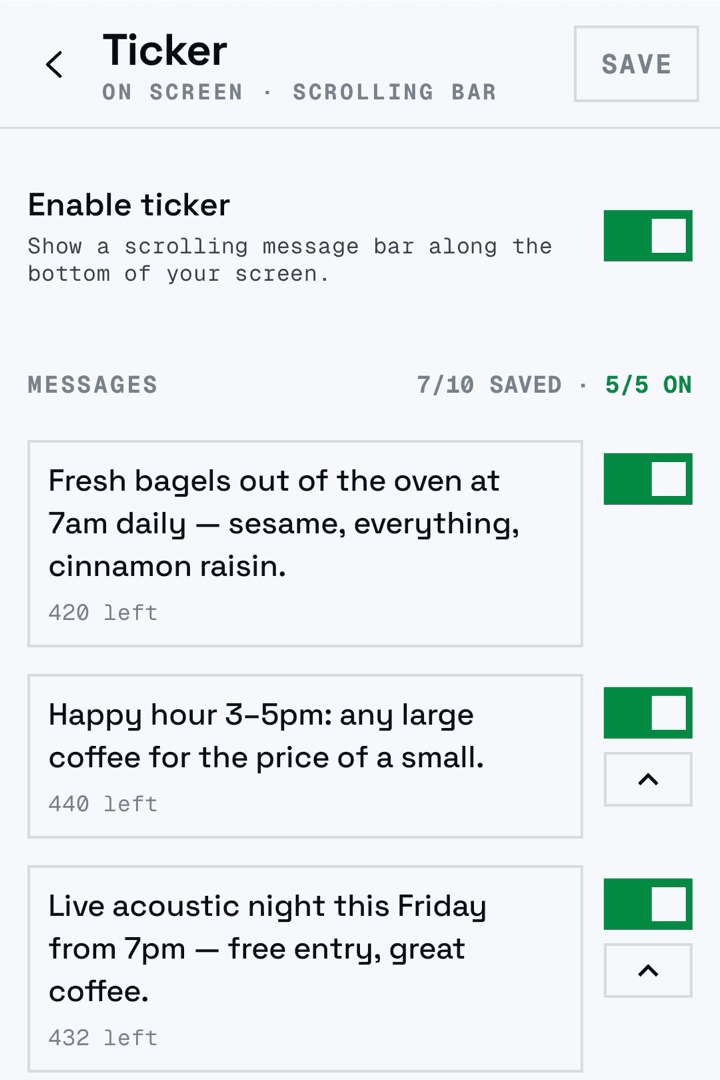
Because everything updates live, the Ticker is perfect for messages that change through the day: breakfast offer in the morning, happy hour in the afternoon, “closing soon” at night — each one a ten-second edit from your phone.
What will you put on air?
Café
“Fresh bagels out of the oven at 7am daily — sesame, everything, cinnamon raisin.”
Retail
“Weekend sale — 20% off all footwear till Sunday. Ask at the counter.”
Clinic
“OPD hours 9am–8pm, Mon–Sat. For appointments, WhatsApp 98XXX XXXXX.”
Gym
“Bring a friend Friday: guests train free with any member.”
One line, always moving, always read. That's the Ticker.
Available on every plan
Every SLX On Air screen gets a ticker — what you can do with it grows with your plan:
| Free | Mid | Pro | |
|---|---|---|---|
| Ticker on your screen | ✅ SLX highlights | ✅ | ✅ |
| Your own custom messages | — | 1 live at a time | Up to 5 live at once |
| Speed & styling controls | — | ✅ | ✅ |
On Pro, your five live messages rotate in sequence — a full headline cycle for your business. Change plans and your saved messages are kept safe, restored when you return.
Put your business on air
Already with us? Open your board in the app — the Ticker tile is waiting under ON SCREEN. New to SLX On Air? Message us on WhatsApp at +91 99102 77891 or +91 79767 06738 and we'll get you on air.