

Ticker
A scrolling message bar for your screen.
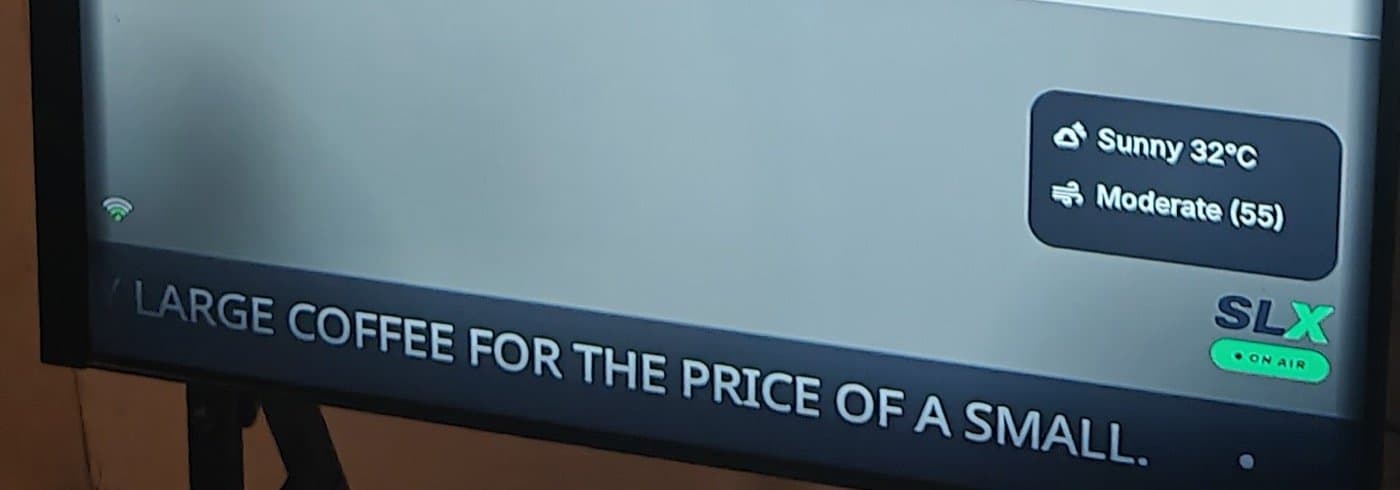
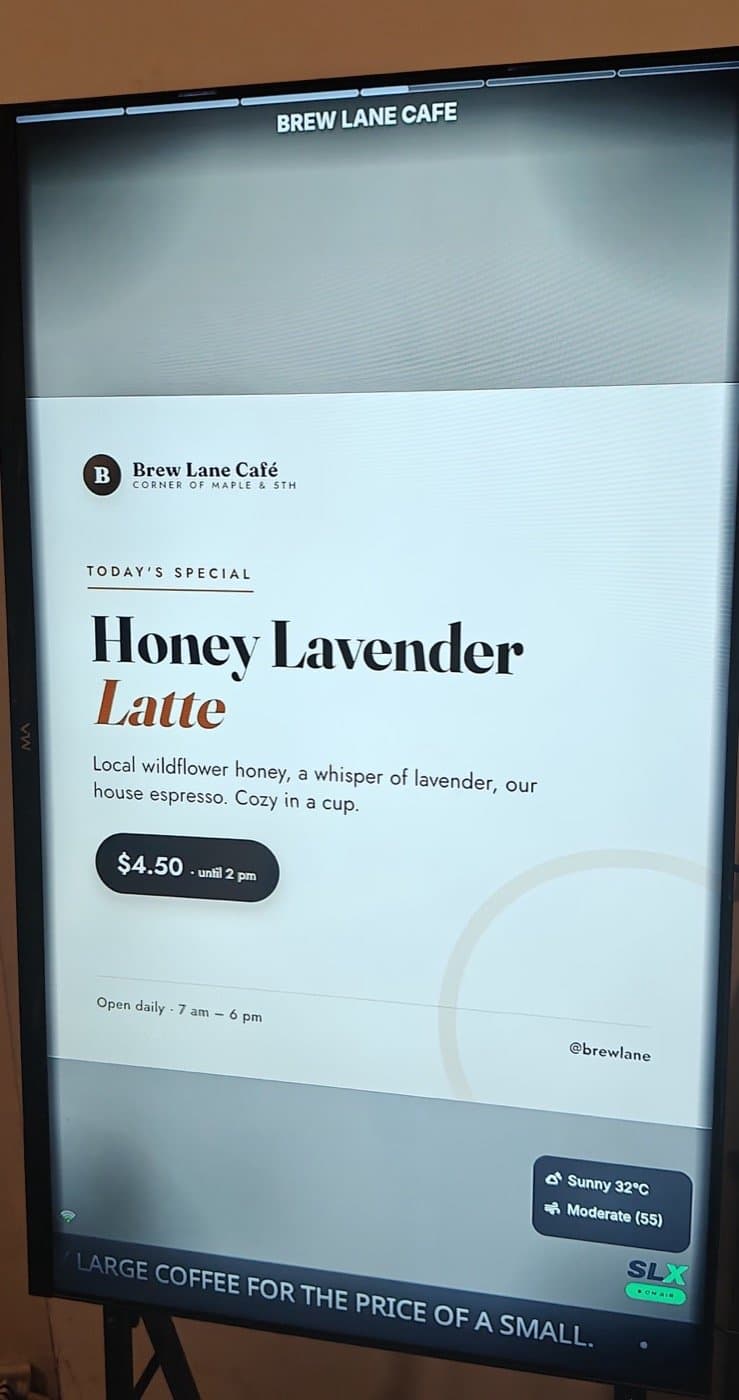
The Ticker is a slim band of text along the bottom of your screen, like the news ribbon on a TV channel. It keeps running under whatever post is showing, so your key message is always on screen.

Ideas
What people put in it
- Offers and promotions — “20% off all desserts today”, “Happy hour 4–7pm”.
- Opening hours and holiday notices — “Open till 11pm Fri & Sat”.
- Contact and social — a phone number to order on, or your handle.
- Announcements — “Now hiring, ask at the counter”.
- Wayfinding and housekeeping — “Restrooms to your left”, “Free Wi-Fi: GuestNet”.
Always visible and scrolling on its own, it keeps a message on repeat without using a slot in your post loop.
Setup
Setting it up takes a minute
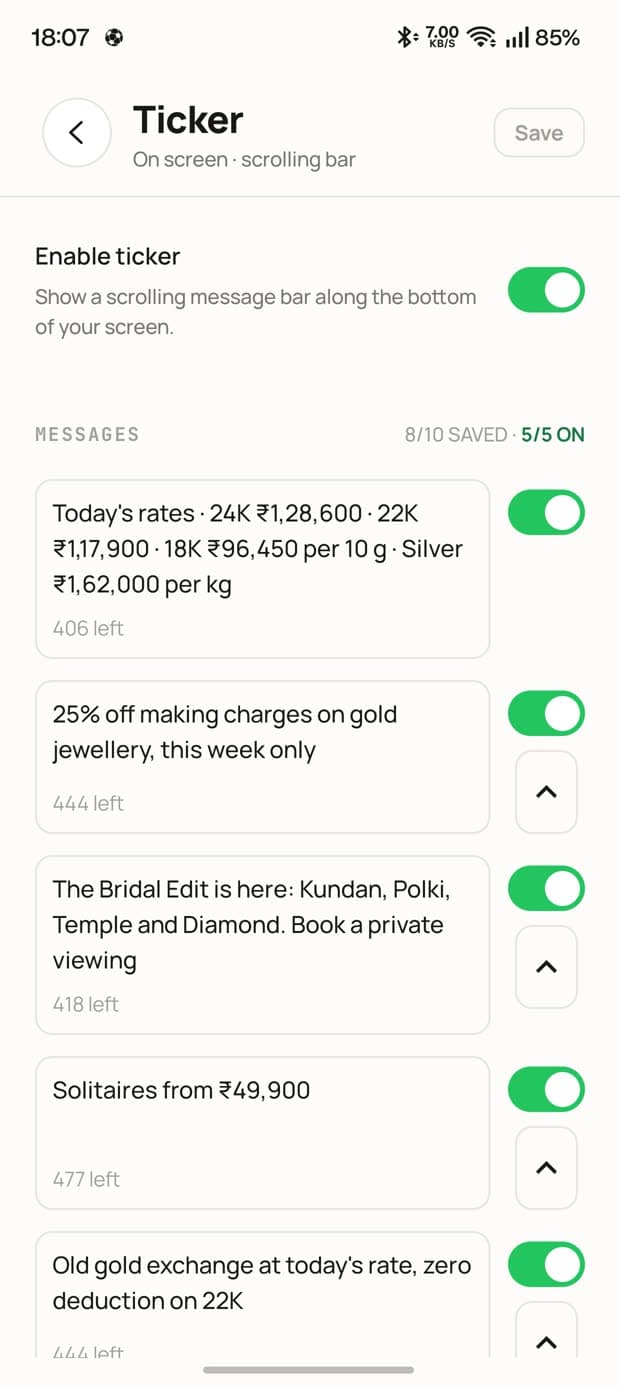
- 01Open the board in the app or web console, go to its on-screen settings, then Ticker.
- 02Turn the Ticker on, and write a message — between 10 and 500 characters.
- 03Save it to a library of up to 10, and switch on the ones you want live.
- 04Press Save. Your screens update within moments, with no restart and nothing to re-publish.
Nothing saves automatically: leave without pressing Save and your edits are lost.
Pricing
What you get on each plan
| Free | Mid | Pro | |
|---|---|---|---|
| Ticker on screen | SLX On Air promos | Your own messages | Your own messages |
| Saved message library | Up to 10 | Up to 10 | |
| Messages live at once | 1 | Up to 5, rotating | |
| Scroll speed and ALL-CAPS |
Languages
Any language, including Hindi
Write the Ticker in the language your customers read. Characters are counted as characters, not bytes, so Devanagari works just like Latin.
Put your business on air.
The Ticker comes with Mid and Pro. Free boards show SLX On Air messages instead.