

Email to Post · Pro
If you can send an email, you can update your screen.
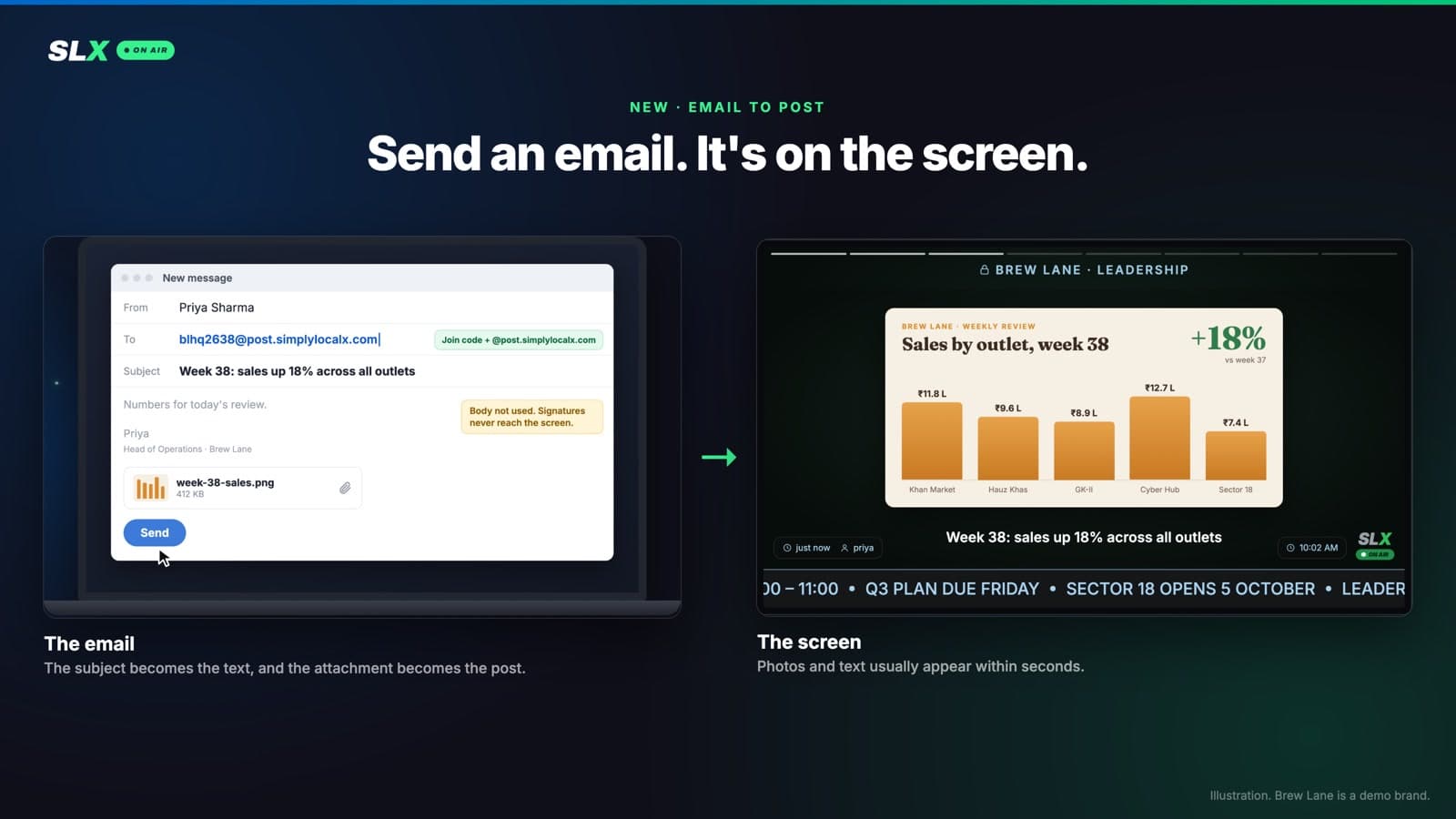
Every Pro board has its own email address, already switched on. Send it a photo, video or PDF and it plays on that board's screens.
Four steps
How it works
- 01
Find the address
It's the board's join code followed by @post.simplylocalx.com. The web console shows it with a Copy button under Board settings → Post by email. It never changes.
- 02
Send an email
The subject becomes the post's text and the attachments become the post. The body is ignored, so signatures never reach a screen.
- 03
It's on screen
Photos and text usually appear within seconds. Videos are prepared like any upload, so a big clip can take a minute or two.
- 04
You get a reply
A short email confirms the post is live, or says exactly why it isn't.
The details
What you can send
- Up to 5 items per email: photos (JPG, PNG, WebP), videos (MP4, MOV) and PDFs (the first 5 pages show).
- With or without text: five photos and an empty subject make a good post.
- Text on its own: a subject of 10 characters or more, nothing attached.
- Several boards at once: put each address in To or Cc; one reply covers them all.
Keep each email under 25 MB. Above that, most mail apps swap the attachment for a Drive or OneDrive link, which can't be posted.
Only the right people can post
- Only the board's owners and admins can post by email, even on community boards where any member can post from the app.
- They must send from their SLX On Air account's email address.
- Every email is checked with the sender's own provider's authentication; a forged “From” line is refused.
- Signature logos are ignored, and a reply in an email thread is never posted.
The address isn't a password. Knowing it isn't enough.
Pricing
On your plan
Included with Pro. Want to try it first? Ask us for a free trial on your board.
Put your business on air.
Already on Pro? Save your board's address as a contact and send your first email.