New Feature
Email to Post: if you can send an email, you can update your screen
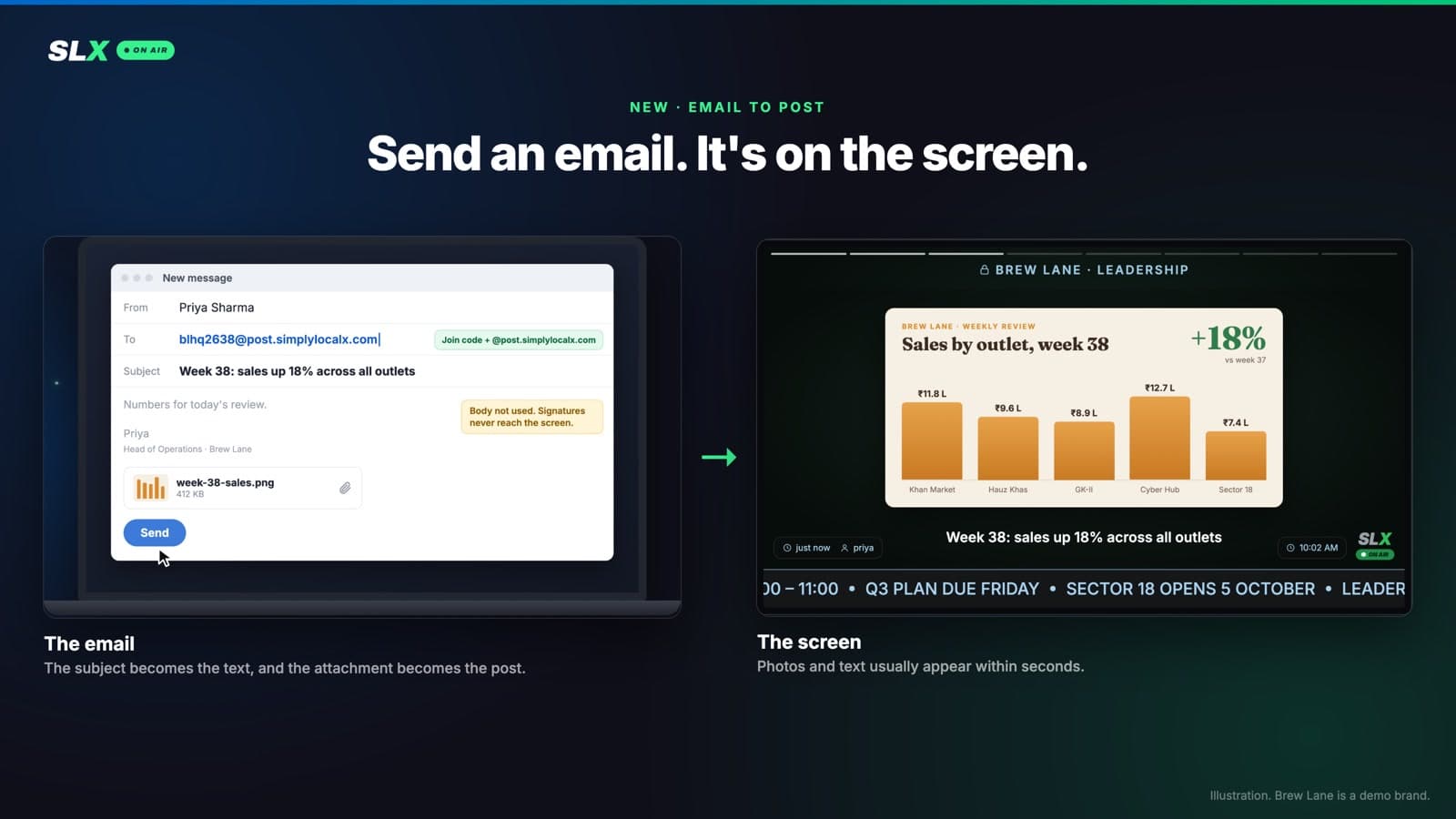
Every Pro board now has its own email address. Send a photo, video or PDF to it and it plays on your screens. No app, no login, nothing to learn.
Most digital signage makes you log in to a dashboard to change the screen. Fine for whoever set it up; a wall for the receptionist, the branch manager and the designer who made the poster.
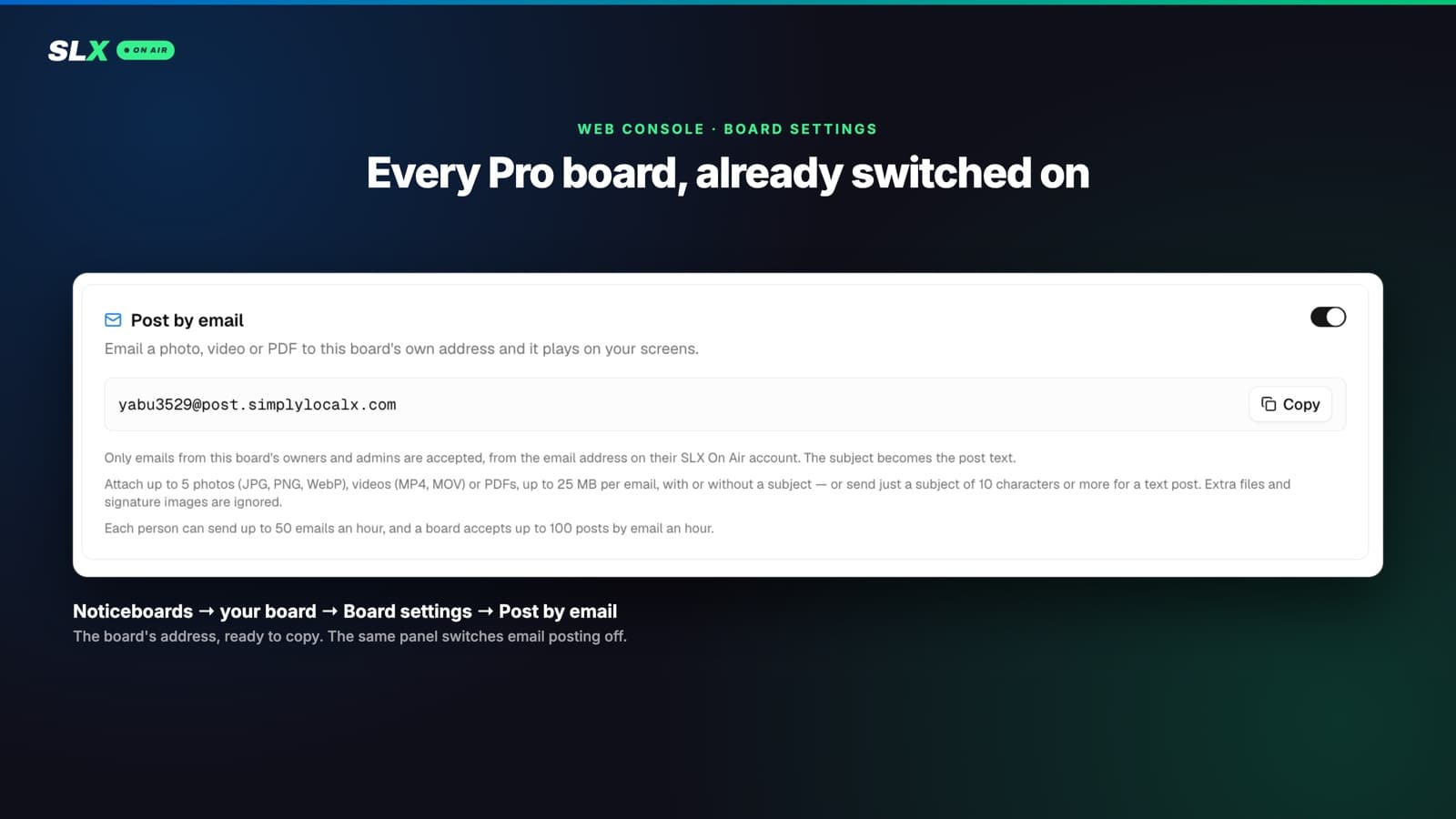
Now every SLX On Air Pro board has its own email address, already switched on. Send it a photo, video or PDF and it plays on that board’s screens. No app, no login, just the mail app you already have open.
How it works
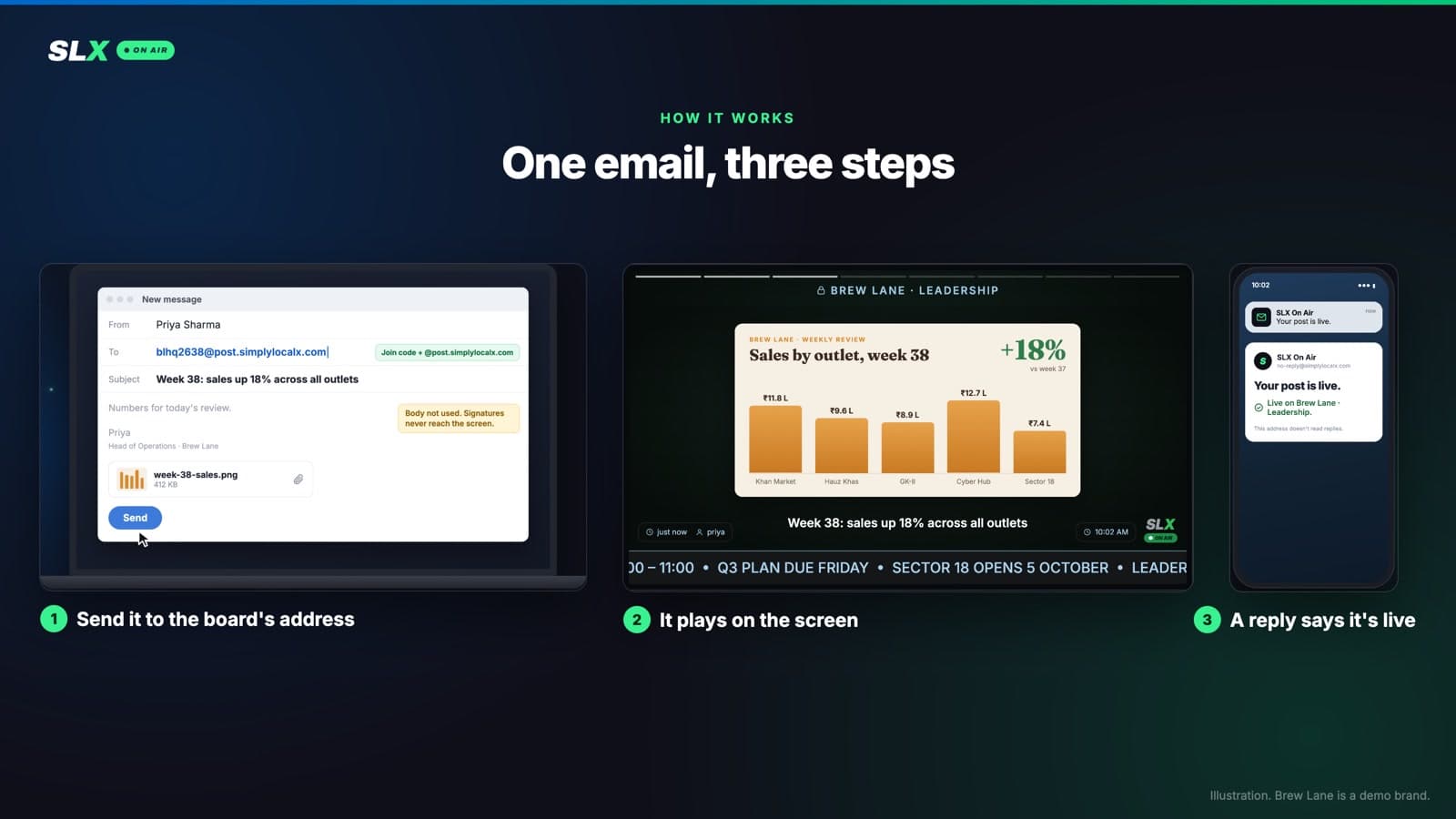
- 01Find your board’s address. It’s the board’s join code, without the space, followed by
@post.simplylocalx.com: join codeMPCL 914EgivesMPCL914E@post.simplylocalx.com. The code is on the board’s page in the app; the web console shows the full address with a Copy button under Board settings → Post by email. Save it as a contact; it never changes. - 02Send an email. The subject line becomes the post’s text, the attachments become the post. The body is ignored, so signatures and disclaimers never reach a screen.
- 03It’s on screen. Photos and text usually appear within seconds. Videos are checked like any upload, so a big clip can take a minute or two.
- 04You get a reply saying your post is live, or exactly why it isn’t.
What you can send
The same things you can post from the app:
- Up to 5 items per email, in any mix: photos (JPG, PNG, WebP), videos (MP4, MOV) and PDFs — the screen shows the first 5 pages of a PDF.
- With or without text. Five photos and an empty subject is a good post.
- Text on its own. A subject of 10 characters or more, nothing attached.
- Several boards at once. Put each board’s address in To or Cc: each gets its own post, and one reply covers them all.
Keep each email under 25 MB. Above that, most mail apps swap the attachment for a Drive or OneDrive link, which can’t be posted; send big videos from the app or web console.
Run the screen live from your inbox
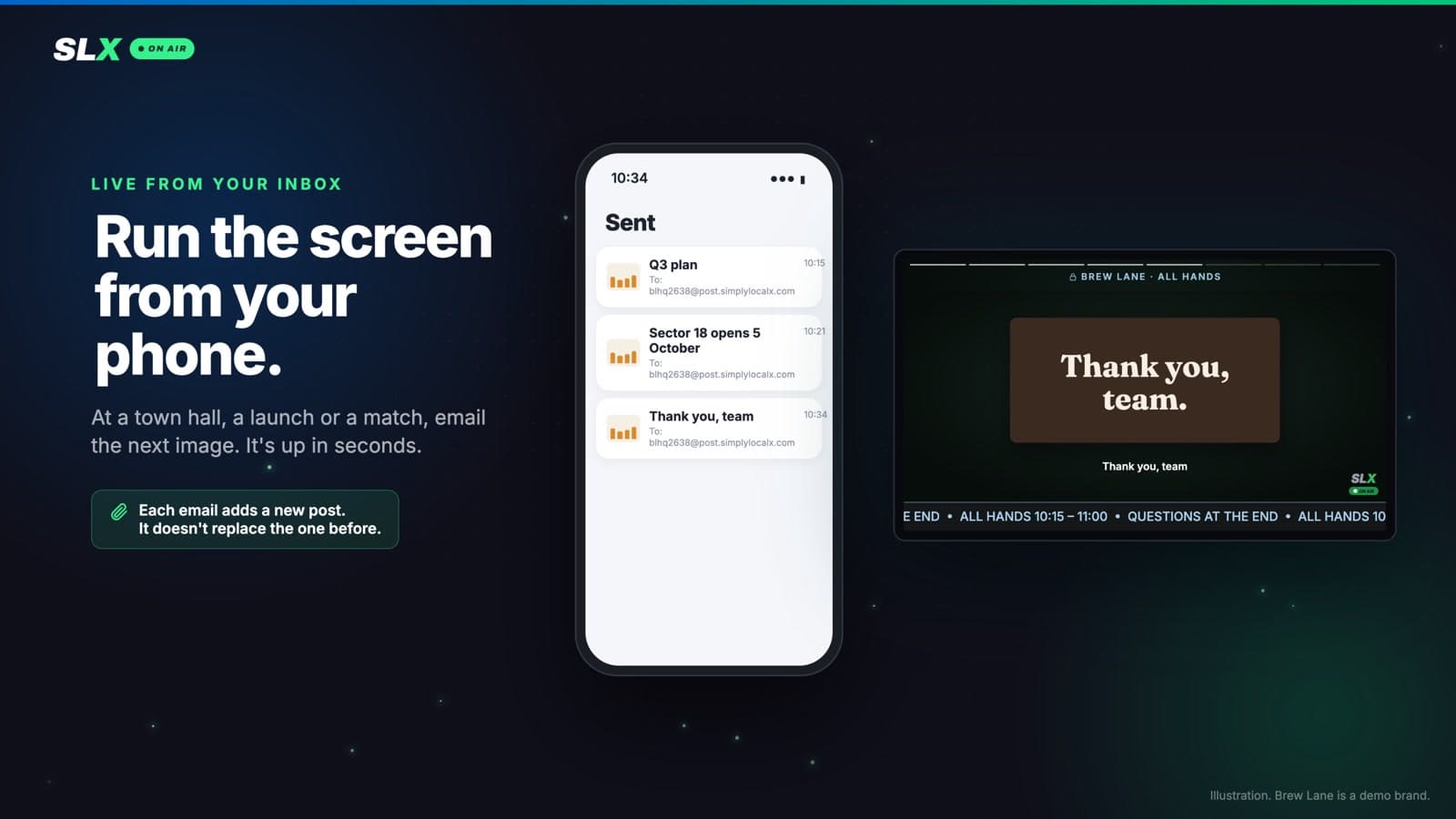
A photo or a line of text is on screen within seconds, so you can run a screen from your phone as things happen: the next chart at a town hall, the next offer as you announce it, the score from the sideline. No laptop, nobody at a dashboard.
Each email adds a new post rather than replacing the last, so for a live run, use a board kept for the event and clear it afterwards.
Private boards + email: your numbers in the room, as you talk
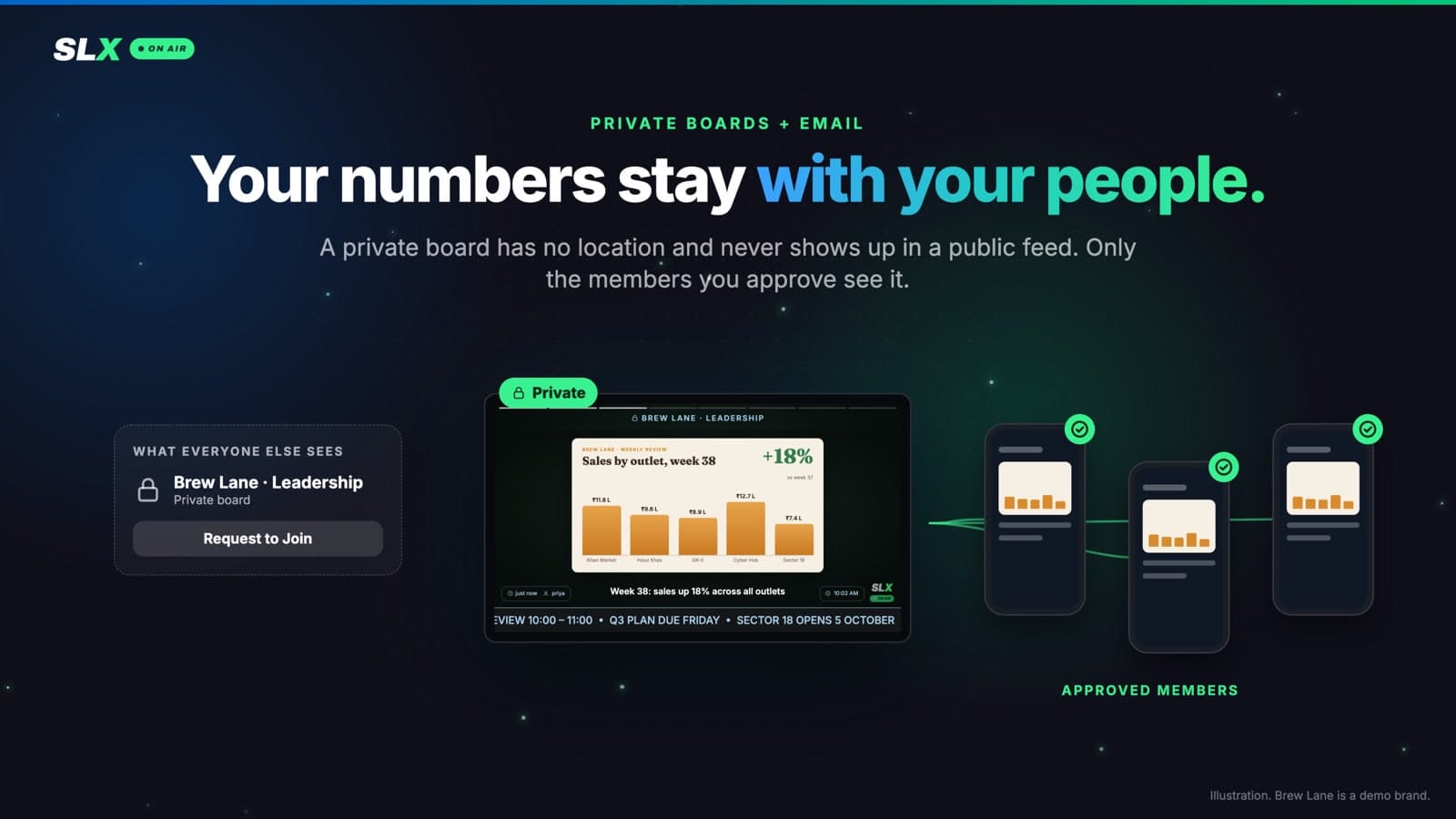
A private board has no location and appears in no public or nearby feed; only people you approve can see it. Put its screen in the meeting room, and the board’s admin can put something on the wall mid-sentence:
- The weekly review. Screenshot the sales dashboard, email it, and it’s on screen while you’re still talking.
- The monthly numbers. Send the MIS report as a PDF; the screen shows the first five pages.
- The decision. Email a one-line subject — “Diwali hours: all outlets open 10–10” — and it’s on the wall for everyone in the room.
Only the right people can post
The address isn’t a password. Knowing it isn’t enough.
- Only the board’s owners and admins can post by email — even on community boards, where any member can post from the app.
- They must send from the email address on their SLX On Air account, straight from their own mail app.
- We verify the sender with their own email provider’s authentication, and a forged “From” line is refused.
- Signature logos are ignored, so the company logo in an email footer never becomes a post.
- A reply in an email thread is never posted. A “thanks, got it!” that happens to copy the board won’t end up on screen.
- Fair-use limits, stated plainly: 50 emails an hour per person, 100 posts by email an hour per board. Anything over that bounces straight away with the reason — never held back and posted later.
- Every email gets an answer: posted, or the exact reason it wasn’t (not an admin, a file type we can’t use, a Drive link instead of an attachment).
Good to know
- No scheduling by email. A post by email goes live straight away; to schedule one for later, use the app or the web console.
- Not supported by email: GIFs, audio, and iPhone photos in HEIC format. On an iPhone, use Settings → Camera → Formats → Most Compatible, or send the photo as a JPEG.
- Sending from a “Send mail as” alias in Gmail or Outlook isn’t accepted yet. Send from your own address.
- Don’t want it on a board? An owner or admin can switch it off in the web console, under Board settings → Post by email.
Try it
Email to Post comes with the Pro plan. Already on Pro? Save JOINCODE@post.simplylocalx.com as a contact and send your first email.
To see it on a screen first, or to ask for a free trial on your board, WhatsApp us at +91 99102 77891 or +91 79767 06738.