Product Update
Introducing Showtime: make your screen worth a second look
Five modes, from calm to can’t-look-away. Pick a mood and your whole screen moves to match.
Most digital signage is wallpaper. A TV goes up, the same posters loop, and within a week people walking past have stopped seeing it. The screen is on, but it isn’t doing its job.
We set the bar higher. If a screen isn’t pulling eyes, it isn’t working. Showtime is how an SLX On Air screen earns attention, all day.
One choice sets the mood
Showtime replaces the old Transition setting. Instead of an effect, you pick a mood, and everything on the screen moves to match: how each post arrives, how the ticker behaves, how the screen feels between posts.
Pick the mode that suits your space; we’ve designed the rest.
Five modes, five moods
Flow. Calm and unhurried. Posts drift past like the credits at the end of a film, a screen people can rest their eyes on while they wait. For lobbies, clinics and waiting rooms, on portrait screens.
Professional. Clean and direct. Every change is crisp and composed, so your screen looks as professional as your front desk. For offices, receptions and hotels.
Studio. Polished and lively, without raising its voice. Your screen feels produced, like good television. The default. For cafés, salons, shops and schools.
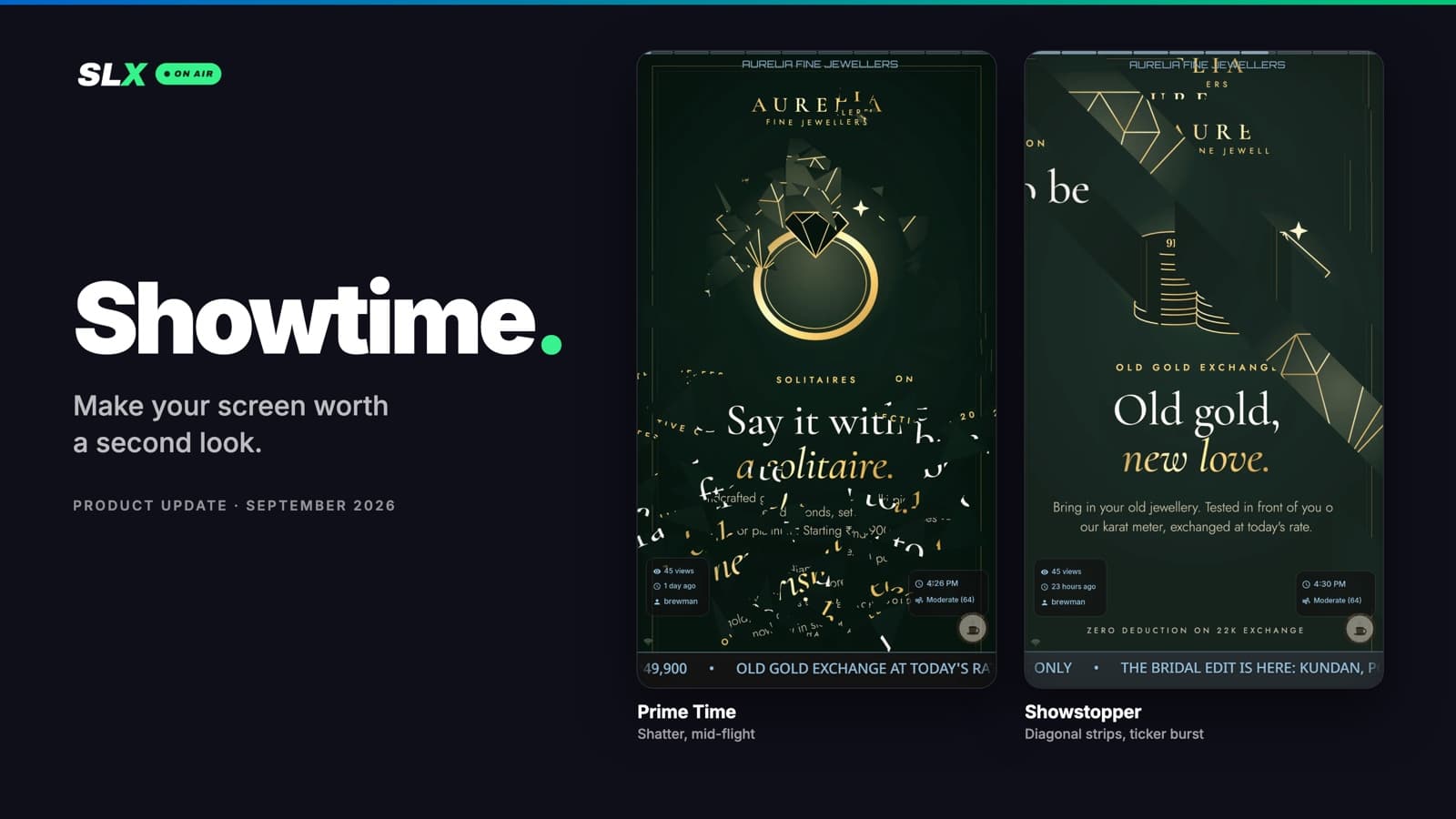
Prime Time. Built to get attention. Every new post lands like an event, so people passing by turn their heads. For retail, gyms and food courts, anywhere a screen has to compete.
Showstopper. Viewers can’t look away. The whole screen performs, like launch night every night. For bars, clubs, events and big moments.
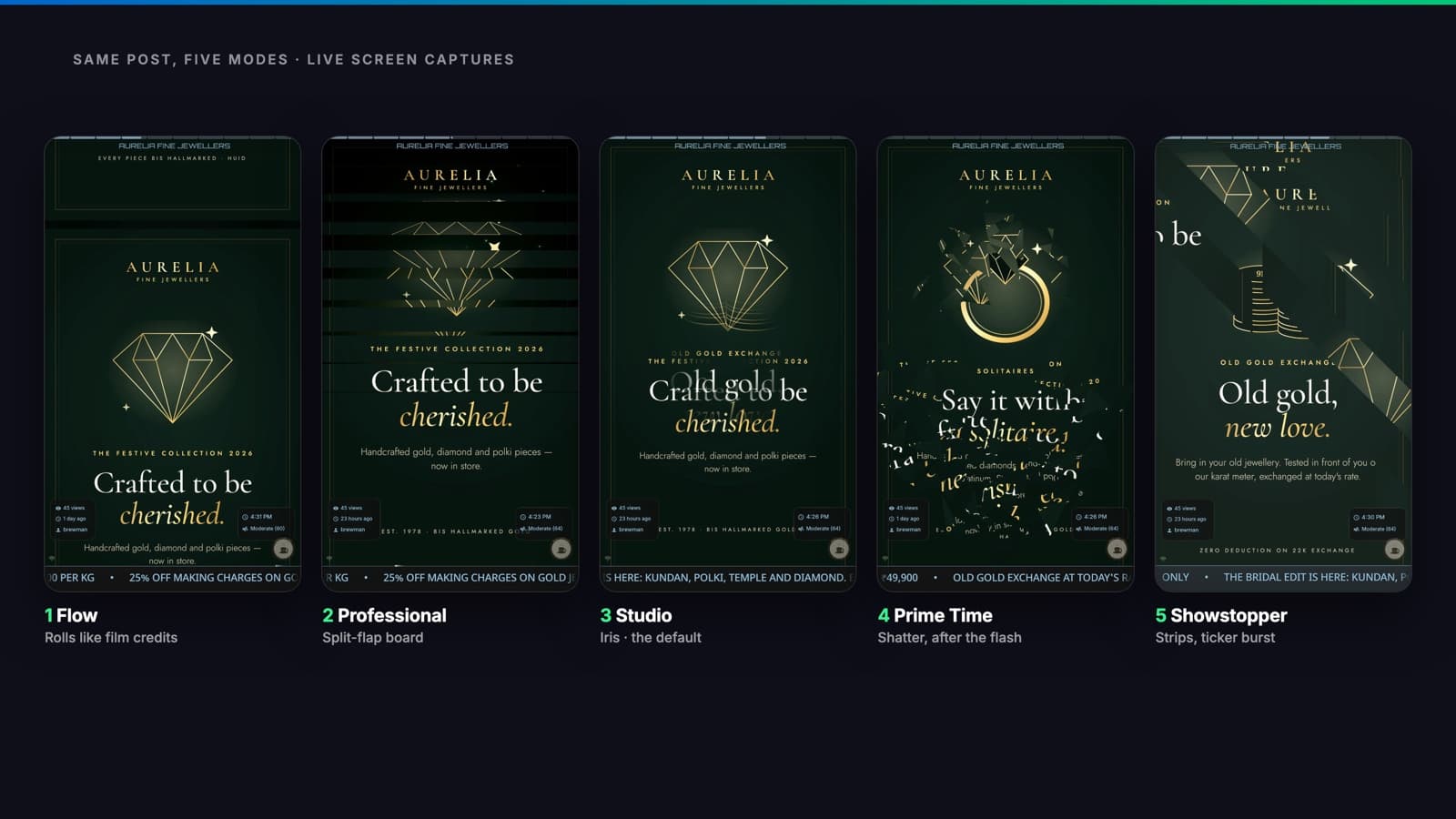
See all five modes in motion on a real screen.
A screen that never goes stale
Whatever the mode, your screen stays alive between posts and never settles into a pattern people learn to ignore.
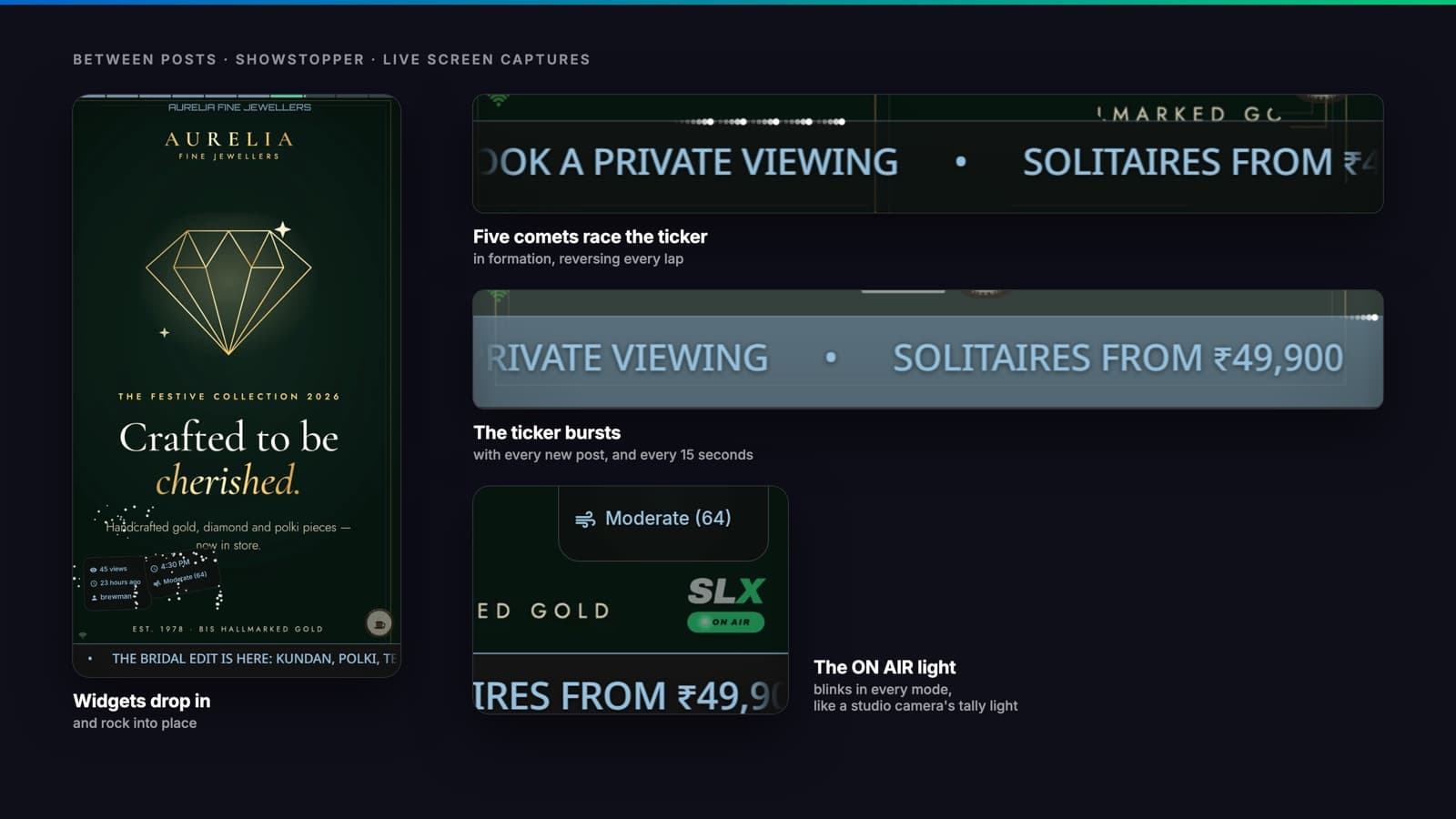
Exciting, and still responsible
Flow, Professional and Studio never flash. Prime Time and Showstopper never flash the full screen more than once a second. That’s designed within the widely used one-flash-per-second guideline. Nothing louder than Studio turns on by itself. You choose to turn it up.
Change it in seconds
Showtime mode is in Quick settings for every board in the web console, and in the board’s display settings in the app. Save, and the screen changes in seconds. Your screens are already on Studio, or on Flow if they used to scroll, so there’s nothing to do.
On your plan: Studio and Showstopper on every plan; Flow and Professional on Mid and Pro; Prime Time on Pro.
See it on your own screen
Try each mode on your screen and see which one makes people stop. For help picking one, or to see Showtime before you buy an SLX Smart Box, WhatsApp us at +91 99102 77891 or +91 79767 06738.